The desk is a small load
This surprises people who have priced a generator. A full home office draws less than a kettle.
| Equipment | Typical draw | Per 8-hour day |
|---|
| Laptop | 45-65 W | ~440 Wh |
|---|
| External monitor | 20-40 W | ~240 Wh |
|---|
| Router and modem | ~20 W | ~480 Wh over 24 h |
|---|
| Desk lamp, LED | ~10 W | ~80 Wh |
|---|
| Desktop tower and two monitors | 200-400 W | ~2,400 Wh |
|---|
| Laser printer, while printing | 600-1,000 W | Brief, but a real surge |
|---|
Laptop figures are consistent with the ranges used elsewhere on this site; the rest are working estimates from typical equipment power-supply ratings rather than manufacturer measurements. Router and modem draw is not published in the manufacturer references this site uses, and the roughly 20W figure is taken from equipment supply ratings and flagged as such wherever it appears.
A laptop-based desk is 150 to 250W all in. That is one of the smallest useful loads in the whole category — a kilowatt-hour battery covers a working day, and a modest power bank covers the laptop alone.
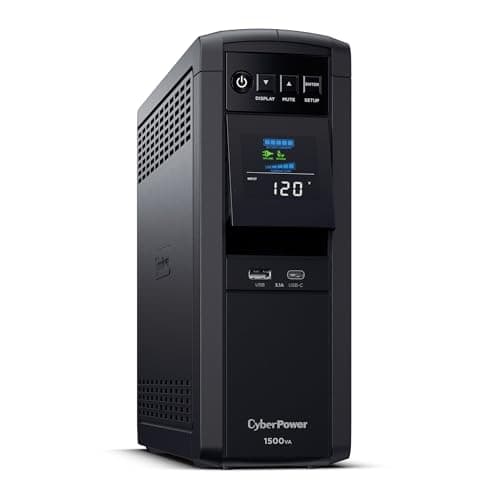
A desktop tower changes the picture. 200 to 400W is two to three times the load and it has no internal battery, which is why the UPS comes first for tower users and second for laptop users.
The real problem is the internet
Powering the desk is straightforward. Staying online is not, because it fails in three places and you only control one of them.
- Your router and modem. Yours to solve, and cheap — 20W on a small UPS or a power station runs for a long time.
- Your provider's equipment in the street. Fiber and cable nodes run on backup batteries with finite life. Some neighborhoods stay up for hours, some drop quickly.
- Cell towers, if you tether. Same problem — backup batteries that last hours, and generators at some sites that go down when their fuel runs out.
So the honest plan has a fallback: a phone with a data plan and a charged power bank, and a known place to work if the outage runs long. Powering your router perfectly does not help if the node two streets away is dark.
Build it in three layers
Layer 1 — the UPS, for seconds
Not for working through an outage. For the transition: saving work, shutting down cleanly, and keeping the network equipment from rebooting during a flicker.
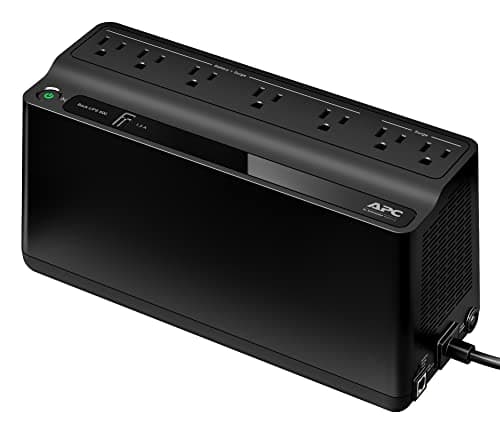
Two units are the right shape — a bigger one on the desktop, a small one on the router and modem. Splitting them means the network survives long after the workstation UPS is spent, because 20W on a 600VA unit lasts far longer than 400W on a 1,500VA one.
UPS versus power station covers why the two are different products rather than competing ones.
Layer 2 — a power station, for hours
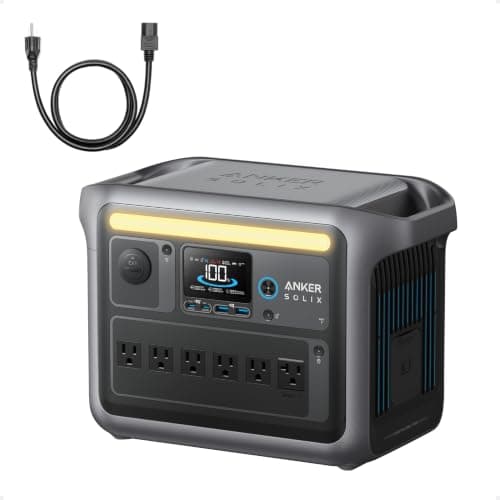
This is what turns an outage into a non-event. A kilowatt-hour running a laptop desk is a working day; two kilowatt-hours is a day plus the fridge.
Run the network equipment from the station rather than the UPS once you have one — the UPS then becomes purely a transition device and its battery lasts longer.
Layer 3 — a recharge path, for days
Solar or a generator. For a home office specifically, solar is unusually well suited: the load is small, steady and daytime, which is exactly when panels produce. A couple of hundred watts of panel genuinely sustains a laptop desk indefinitely in summer.
The things people forget
- Heating and cooling. The desk runs; the room becomes unworkable. In winter that is a furnace blower, which is a far larger load than the office itself.
- Video calls need upload. A tethered phone on a congested tower may carry email and not carry a call. Have a plan for saying so.
- Desk phones and door entry systems are mains powered and stop.
- Printing. A laser printer's fuser draws 600-1,000W while printing. Possible on a station, wasteful, and rarely urgent.
- Light. Screens light faces, not desks. A lantern or a lamp on the battery costs almost nothing.
- Coffee. A drip machine is 1,000W+. A stovetop pot on a gas cooktop is free, and this is a more serious point than it sounds after hour six.
What this costs, roughly
In rough order of value per dollar:
- A small UPS on the router and modem. The cheapest item and the one that prevents the most disruption, because it removes the reboot-and-renegotiate delay from every brief flicker.
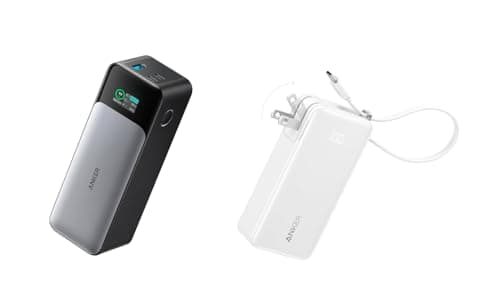
- A power bank for the laptop. Cheap, portable, and works anywhere.
- A larger UPS on the desktop, if you use one.
- A kilowatt-hour power station. The step that changes the day rather than saving the file.
- Panels, if your outages run past a day.
Most home offices are fully covered by the first two. The router and modem guide goes deeper on the single highest-value item.