The power supply rating is not a measurement
This is where most of the confusion starts. A desktop labeled with a 750W or 850W power supply is telling you the maximum that supply can deliver, not what the machine pulls.
Power supplies are deliberately over-specified: builders size them for peak transient loads, for headroom on upgrades, and because supplies are most efficient somewhere around half load. A machine with an 850W supply may idle at 60W and peak at 450W.
Sizing a battery or a UPS from the supply rating therefore buys two or three times the equipment the job needs.
What machines actually draw
| Machine | Idle | Typical use | Heavy load |
|---|
| Laptop, 13-14 in | 10-20 W | 20-45 W | Up to 65 W |
|---|
| Laptop, 15-16 in with discrete graphics | 15-25 W | 45-90 W | Up to 140 W+ |
|---|
| Mini PC or all-in-one | 10-20 W | 30-60 W | Up to 100 W |
|---|
| Office desktop, integrated graphics | 30-50 W | 60-100 W | Up to 150 W |
|---|
| Gaming desktop, mid-range card | 50-80 W | 150-250 W | 350-450 W |
|---|
| Gaming or workstation, high-end card | 70-120 W | 250-400 W | 500-700 W |
|---|
| Monitor, 24-27 in | — | 20-40 W each | — |
|---|
| NAS, four bays | 25-40 W | 40-60 W | Higher during a rebuild |
|---|
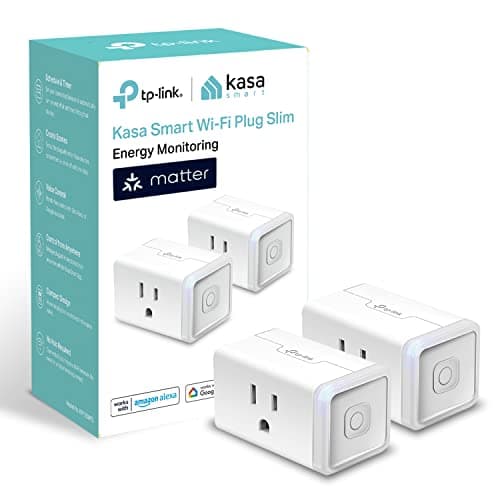
Ranges are typical for current consumer hardware and vary widely with configuration. A plug-in meter gives you your own number in minutes, which is why one is the first pick on this page.
The three numbers you actually need
1. Peak draw sets the inverter or UPS. It is what the machine pulls under the heaviest load you will actually put on it, plus the monitors.
2. Average draw sets the battery capacity. For most people it is far lower than peak, because word processing and browsing are nothing like gaming.
3. Standby draw matters only on battery power. A desktop that is "off" still pulls a few watts, and so does every charger left plugged in.
| Desk | Average draw | Hours from 1,056 Wh |
|---|
| Laptop, monitor, router | About 100 W | About 9 hours |
|---|
| Office desktop, monitor, router | About 150 W | About 6 hours |
|---|
| Gaming desktop, two monitors, router | About 300 W | About 3 hours |
|---|
| Gaming under sustained load | About 500 W | Under 2 hours |
|---|
Hours are 1,056 Wh x 0.85 / draw, using the inverter efficiency figure on the methodology page.
A laptop changes the question entirely
Worth saying plainly because it saves people money. A laptop has an internal battery, so an outage is an inconvenience rather than a data loss event.
What stops a laptop user working is the internet, and a modem and router together draw about 20 watts. Backing those up costs a fraction of backing up a desktop and delivers most of the benefit.
The router and modem page covers that case, and it is the highest value per dollar on the whole site.
The desktop case: waveform before watts
For a desktop there is a specification that matters more than the wattage, and getting it wrong makes the backup useless.
Almost every modern PC power supply uses active power factor correction, and a simulated sine wave produces a brief zero-output gap at each phase change that an active PFC supply can read as a power interruption. The result is a hard shutdown at the moment the UPS engages.
The PC battery backup page covers this in detail. The short version: pure sine wave, always, for a modern desktop.
Cutting the draw when it matters
- Cap the frame rate or use a power-saving profile. A graphics card rendering 300 frames a second draws far more than one capped at 60, for no visible benefit.
- Turn off the second monitor. 20 to 40 watts each, and they run continuously.
- Unplug what is idle. Printers, speakers, chargers and hubs all draw standby power.
- Work from the laptop if you have one. A 45W machine against a 300W desk is a factor of six.
The short version
- The PSU rating is a ceiling. Ignore it for sizing.
- An office desktop desk is about 150W. A gaming desk is about 300W.
- Peak sizes the inverter, average sizes the battery.
- Pure sine wave for any modern desktop. This one is not optional.