Two separate questions
Does your wifi stop? Yes, immediately. Your router and modem are plugged into the wall and they go off with everything else. That part is entirely within your control and costs very little to fix.
Does the internet still reach your house? That depends on equipment in the street, at your provider's facilities, and on the network between them — none of which you control, and which varies enormously by technology and by area.
Powering your own equipment is worthless if the connection has already dropped upstream. So establish the second answer before spending on the first.
What happens by connection type
Cable
Cable networks use powered amplifiers and nodes in the street, and these are typically fitted with battery backup — usually rated for a few hours rather than a few days.
So in a short outage, cable service commonly stays up and only your own equipment needs power. In an extended regional outage, street batteries deplete and service drops regardless of what you do at home.
Fiber
Often the most resilient, because a passive optical network has no powered equipment between the exchange and your house — the splitters are passive. The provider's central facility has substantial backup power.
The powered component is the terminal in your house. Some have a small internal battery for exactly this reason; many do not. Check whether yours does, and if it does, whether that battery is still good — they age out and fail silently.
DSL
Telephone exchanges have traditionally maintained substantial backup power, which is why landlines historically outlasted the electricity supply. That resilience carries over to DSL in many areas, though network modernization has put powered cabinets in the street in some places.
Fixed wireless and satellite
Depends entirely on the tower or ground station. Both have backup power; both are finite. Satellite has the useful property of being independent of local infrastructure damage — a hurricane that flattens the local grid does not affect the satellite.
Mobile networks
Cell sites have backup power, typically batteries with generators at larger sites. That is why mobile service often outlasts home broadband — but it is not unlimited, and in extended regional outages cell sites do go down as their fuel runs out and refueling crews cannot reach them.
Networks also congest heavily during emergencies, so a working connection may still be unusably slow. Text messages get through when calls and data do not, because they are small and are queued and retried.
Test it before you need it
This takes one brief outage and settles the whole question.
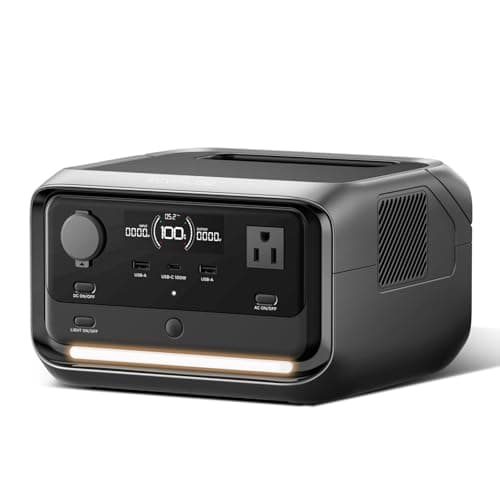
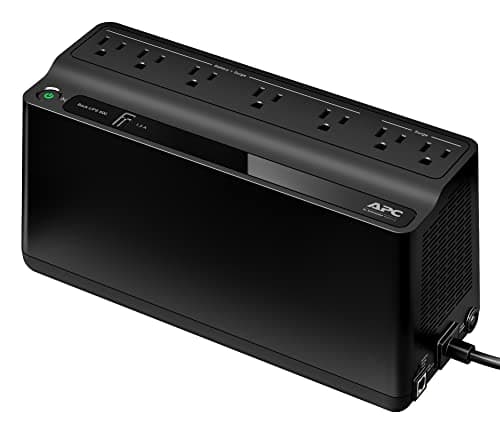
- Put your modem and router on a small UPS, or on a power station.
- During the next short outage, check whether a phone on wifi actually reaches the internet.
- If yes, your provider's street equipment is up and your own battery is the whole solution.
- If no, note how long it took to fail. That is your ceiling, and it tells you whether a bigger battery would buy anything.
If your provider drops within thirty minutes, a battery that lasts twelve hours is buying you thirty minutes, and mobile data is the better plan.
How much power your equipment needs
Very little, which is what makes this the cheapest useful thing in backup power. A typical consumer modem and router together draw about 20 watts — roughly two LED bulbs. Add a mesh node and a small switch and you are still under 60.
(Neither of the manufacturer wattage charts this site cites lists network equipment, so that 20W figure comes from the power adapters themselves — yours prints its rating, typically something like “12V 1.5A”, which is 18W. Check it rather than taking ours.)
At 20W, a 286Wh power station runs the network for over twelve hours, and a 1,000Wh station for around forty. The full comparison of options is here.
What to do when it is down anyway
- Use mobile data, and tether. A phone hotspot covers a laptop, and mobile networks frequently outlast home broadband.
- Text rather than call. Messages are small and are retried automatically; congested networks pass them when they will not carry a call.
- Cut phone power use hard. Screen brightness down, background refresh off, low-power mode on. A phone at 15% is a different situation from a phone at 60%.
- Download before it goes. If a storm is forecast, download offline maps, your utility's outage number and anything you might need to read.
- Know where public wifi is. Outages are frequently localized — a library or a café a mile away may be entirely unaffected.
The one that catches people out
Home security systems and cameras. Many have battery backup for the panel itself, which means the system keeps running — but it reports through your internet connection. With the router off, the panel is armed and entirely unable to tell you anything.
If a security system is part of why you want backup power, the router and modem are not optional. They are part of the security system, and they should be on the same battery.