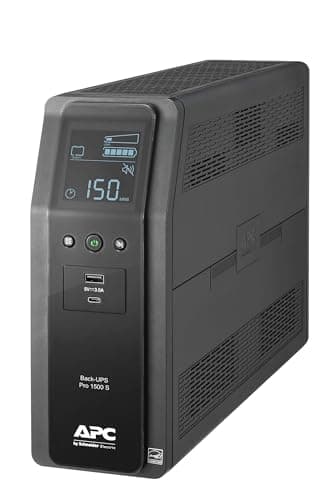
What a UPS is actually for
It is worth being blunt about this before spending anything, because the commonest disappointment in this category is a correct purchase used for the wrong job.
A UPS is a bridge. It holds the load up for the seconds or minutes between utility power failing and either the power returning or you shutting down cleanly. It is not a way to keep working through an outage, and the runtime figures manufacturers publish — ten minutes at half load, three at full — are not conservative estimates of something longer. They are the product.
For a desktop that is enough, because the damage an outage does to a desktop happens in the first millisecond. The unsaved document is gone, the drive was possibly mid-write, and the machine took an uncontrolled power cut. Everything after that is inconvenience rather than loss.
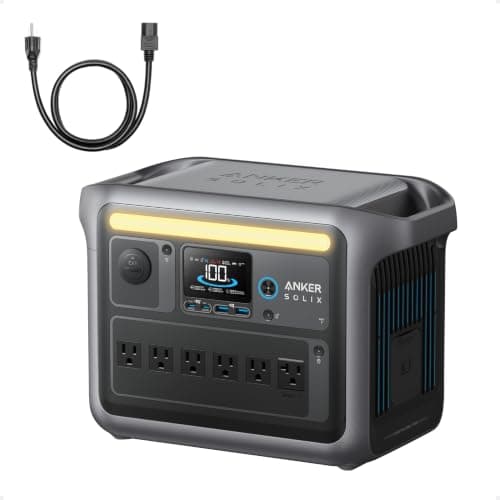
If what you actually want is to keep working for hours, the honest answer is a different product class, and the power station versus UPS comparison is the page for that decision.
Waveform: the specification that decides this purchase
If you read one section here, read this one. It is the difference between a UPS that protects your PC and a UPS that shuts it down at the exact moment it was bought to prevent.
Almost every desktop power supply made in the last decade or so uses active power factor correction. Active PFC circuitry shapes the current the supply draws to follow the incoming voltage waveform, which is why it is efficient and why it is fussy about what that waveform looks like.
Cheaper UPS units do not produce a sine wave on battery. They produce a stepped approximation — usually called a simulated or modified sine wave. CyberPower, which sells both kinds, documents the consequence directly: the simulated waveform passes through a zero-output state at each phase change, and equipment with an active PFC supply can read that gap as a power interruption. The result is a hard shutdown at changeover.
Which is a bleak outcome. The UPS engages exactly as designed, and the machine it is protecting turns off anyway.
| Waveform | Safe for | Risky for |
|---|
| Pure sine wave | Everything — active PFC desktops, network gear, audio equipment, anything with a motor | Nothing. It costs more, and that is the only downside |
|---|
| Simulated / stepped | Routers, modems, switches, most NAS units, older desktops, simple linear supplies | Active PFC desktop supplies, which is most modern PCs, and some audio gear |
|---|
How to check your own machine: look at the label on the power supply, or find its model number and check the manufacturer's specification page for "active PFC" or "PFC: Active". If you cannot establish it, assume it is active — that has been the default on quality supplies for years, and the cost of assuming wrong in the other direction is a UPS that does not work.
VA and watts are not the same number
Every unit here is sold on its VA rating, and every unit here has a lower watt rating. The watt figure is the one that constrains you.
Volt-amps measure apparent power; watts measure real power. The ratio between them is the power factor, and UPS manufacturers have settled on roughly 0.6 for the value line and 0.6 to 0.67 for the better models. That is why 1,500VA becomes 900W, and occasionally 1,000W.
| Unit | VA | Watts | Power factor |
|---|
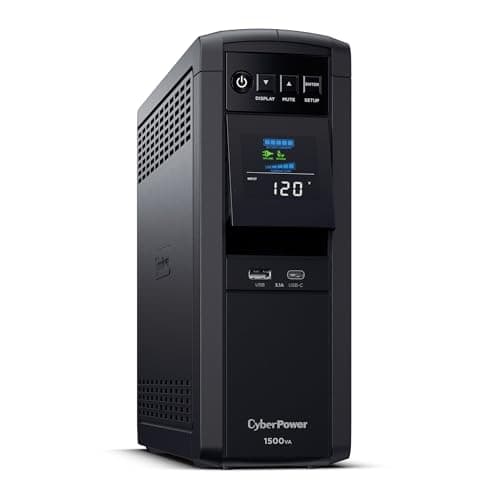
| CyberPower CP1500PFCLCD | 1,500 | 1,000 | 0.67 |
|---|
| APC BR1500MS2 | 1,500 | 900 | 0.60 |
|---|
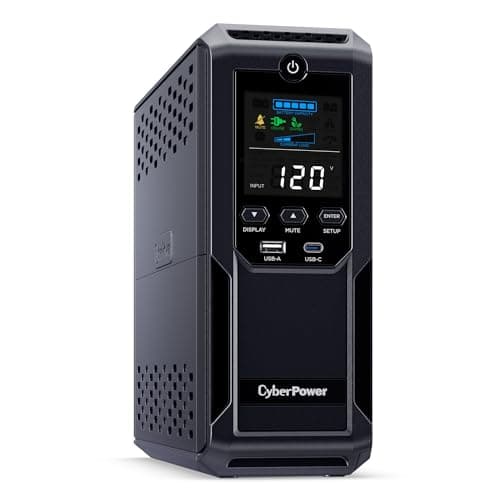
| CyberPower CP1500AVRLCD3 | 1,500 | 900 | 0.60 |
|---|
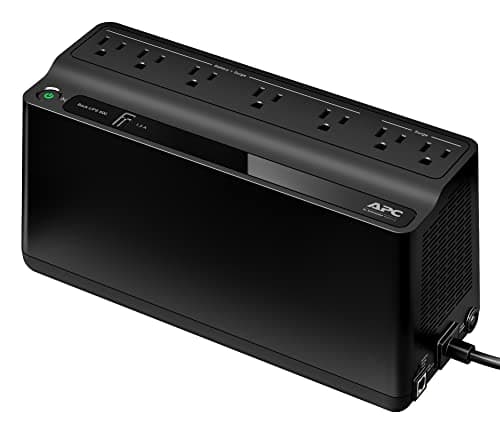
| APC BE600M1 | 600 | 330 | 0.55 |
|---|
Size against the watt column and nothing else. A 1,500VA unit that turns out to be a 900W unit is a nasty surprise on a machine that draws 850W at the wall.
How to size one
Two numbers, and most people only think about the first.
1. Total draw. Add up what will sit on the battery-backed outlets. A typical office desktop and one monitor lands somewhere between 150 and 300W. A gaming machine with a large graphics card under load can approach 600W on its own. The specification plate on the power supply gives you its maximum, not its actual draw — treat that as the ceiling, not the estimate. Reading a nameplate properly is a longer answer to a question that trips people up here.
2. The runtime you need. Which for a desktop is short: long enough to notice, save, and shut down deliberately. Sixty seconds genuinely covers it if you are at the machine, and the utility software every unit here ships with can trigger an automatic shutdown if you are not.
Then load it to about half its watt rating. Runtime is not linear — halving the load buys you far more than double the time, which is why every manufacturer publishes both a half-load and a full-load figure and why the half-load one is what you should plan around.
| Desk | Rough draw | Sensible unit |
|---|
| Modem, router, switch | 20-50W | 600VA is generous |
|---|
| Office desktop and one monitor | 150-300W | 1,500VA, comfortably at half load |
|---|
| Gaming PC, two monitors, network gear | 400-700W | 1,500VA at the 1,000W rating, and check the peak |
|---|
| Desktop plus a laser printer | Spikes past 1,000W | Put the printer in a surge-only outlet, not on the battery |
|---|
What goes in which outlet
Every unit here splits its outlets into battery-backed and surge-only, and the split is a real design decision rather than cost-cutting.
Battery-backed: the PC, the primary monitor, the modem and the router. Anything whose sudden loss costs you work or connectivity.
Surge-only: the laser printer, the desk lamp, the phone chargers, the speakers. A laser printer's fuser draws over a kilowatt in bursts and will trip a 900W unit into overload on its own, which takes the PC down with it — the exact failure the UPS was bought to prevent, caused by the UPS.
The battery is a consumable
Sealed lead-acid cells in a UPS last three to five years, and they fail gradually and silently. A four-year-old unit that reports itself as healthy may hold the load for twenty seconds rather than ten minutes, and you find out during the outage.
Two habits fix this. Run the self-test the bundled software offers once or twice a year, and write the install date on the case in marker so the replacement decision is a date rather than a guess.
This is also the argument for buying a unit with a documented replacement cartridge. A UPS whose battery cannot be swapped is a UPS with a four-year lifespan, which is a worse deal than the price difference suggests. The same logic drives keeping a standby generator battery charged — the cheapest component is usually the one that stops everything.
When a UPS is the wrong purchase
Three cases, and they cover most of the regret in this category.
You work on a laptop. Then you already own a UPS with a keyboard attached, and the only thing worth backing up is the router. A small unit on the network gear is the entire purchase.
Your outages last hours. No UPS in this class helps. That is a power station or a generator, and the home office page works through what a desk actually needs across a long outage.
You want surge protection only. Then buy a surge protector. A UPS contains one, but you are also paying for a battery that needs replacing every few years, and a battery you never use is pure cost. The surge protection page covers where that line falls, including the case most people miss — the surge when utility power comes back.
The short version
- Get the waveform right first. Pure sine wave for a modern desktop, no exceptions worth taking.
- Size against watts, not VA. 1,500VA is 900W, and sometimes 1,000W.
- Load it to about half. Runtime is not linear and half load buys far more than double the time.
- Keep high-surge devices off the battery outlets. A laser printer will take the PC down with it.
- Date the battery. Three to five years, failing quietly, and you find out during the outage.