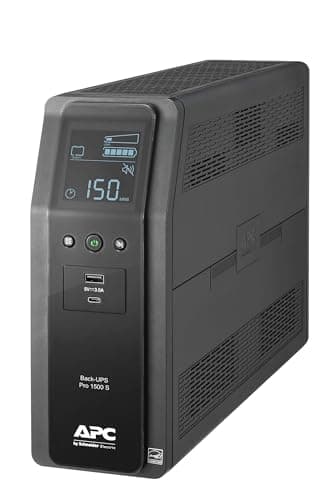
Step 1: ignore the VA number
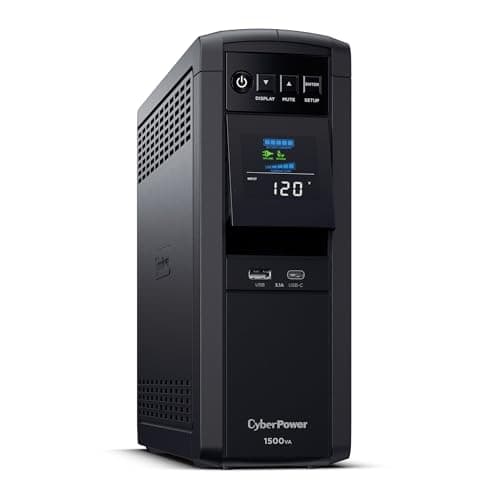
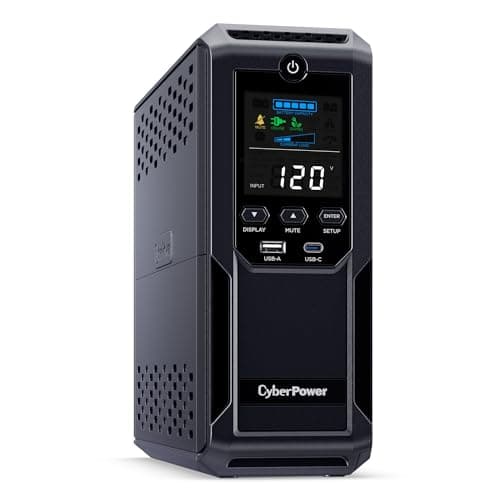
Every consumer UPS is sold on its VA rating — 600VA, 1000VA, 1500VA. Volt-amperes are apparent power: volts times amps, with no account taken of how well the load actually uses that current.
Watts are real power, and watts are what your equipment consumes. The ratio between them is the power factor, and manufacturers build consumer units around an assumed one.
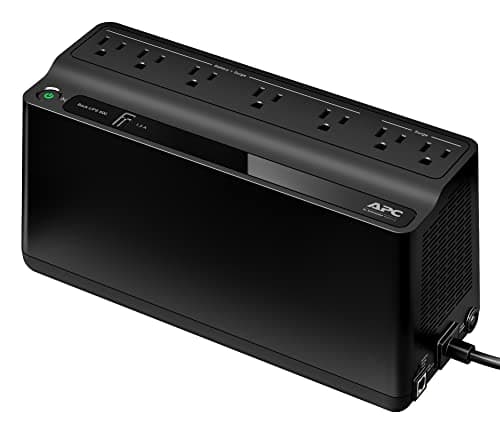
The APC Back-UPS Pro BR1500MS2 states it plainly on the product title: 1500VA/900W. That is a power factor of 0.6. The unit that sounds like 1,500 units of capability delivers 900 of the units you actually spend.
So: size against watts. Always. The VA figure is for the marketing and the model name.
Step 2: add up what you are protecting
Not everything in the room — everything that genuinely must not lose power. A UPS protecting a printer is a UPS wasting its battery.
| Device | Typical running watts | Worth protecting? |
|---|
| Cable modem | 5-15 W | Yes — first thing on the list |
|---|
| Wi-Fi router | 10-20 W | Yes |
|---|
| Network switch | 10-30 W | Yes, if you have one |
|---|
| Desktop PC, idle to moderate | 100-300 W | Yes, and it dominates the total |
|---|
| Monitor | 20-50 W | Yes — you cannot shut down what you cannot see |
|---|
| NAS, two to four drives | 30-60 W | Yes — abrupt loss risks the array |
|---|
| Laser printer | 600-1,200 W while fusing | No. Never. It will flatten the unit instantly |
|---|
| Space heater, kettle, microwave | 1,000-1,800 W | No |
|---|
Ranges are the planning figures used across this site; see the appliance wattage chart. To replace estimates with your own numbers, a metering plug settles it in a minute.
Add the yes rows. A desktop, a monitor, a modem and a router lands somewhere around 200 to 400W for most people, which sits comfortably inside a 900W unit — and that headroom is the point, because you want the UPS loaded well below its rating.
Step 3: aim for about half the watt rating
Two reasons not to run a UPS near its limit.
Runtime collapses at high load. The relationship is not linear: doubling the load more than halves the runtime, because lead-acid batteries deliver less total energy when discharged quickly.
Batteries age. A four-year-old UPS holds meaningfully less than a new one. Sizing at 50% today means it still works at 70% capacity in a few years.
So a 900W unit is comfortable at 400 to 450W of real load, and a 600VA unit belongs on a modem and a router rather than on anything with a processor.
Step 4: work out runtime honestly
This is where most UPS purchases disappoint, and it is entirely predictable before you buy.
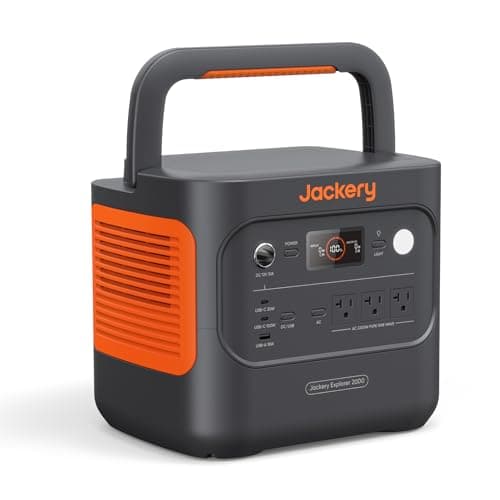
A consumer UPS carries a small sealed lead-acid battery — a few hundred watt-hours at the outside. That is one or two percent of what a mid-sized power station holds. The arithmetic follows directly:
| Load | What a consumer UPS gives you | What that is good for |
|---|
| Modem and router, ~30 W | Often an hour or more | Riding out short outages entirely |
|---|
| Desktop and monitor, ~300 W | Minutes | Saving your work and shutting down cleanly |
|---|
| Near the watt rating | A minute or two | Almost nothing. Do not size here |
|---|
Manufacturers publish runtime charts against load for each model. Read the chart at your actual watts rather than at the rating — it is the single most useful document in the box.
The conclusion is worth stating bluntly: a UPS is a shutdown device for heavy loads and an outage device only for tiny ones. If you want a desktop or a refrigerator to keep running for hours, you are shopping for a battery with a fast switchover, not for a UPS.
Step 5: choose the waveform
Pure sine wave costs more and matters in one specific case: power supplies with active power factor correction, which includes most modern desktop PCs and many appliances. On a stepped, simulated waveform those supplies can buzz, run hot, or refuse to transfer to battery at all.
Simple devices — a router, a modem, a camera recorder, a fan — do not care. The desktop PC page covers which side of that line each piece of equipment sits on.
The short version
- Size on watts, not VA. 1500VA commonly means 900W.
- Add up only what must not lose power, and never put a laser printer or a heater on it.
- Load it to about half its watt rating so runtime survives the battery's aging.
- Expect minutes, not hours, at desktop loads. For hours, buy a power station with a fast switchover.
- Pure sine wave for anything with active PFC.