Skip to content
Watt Warden

Outage Prep

Backup Power for an Apartment

In an apartment the generator question answers itself. What is left is a smaller, more solvable problem - and a few failures that only happen above the third floor.

By Sawyer V.Updated Published How we work this out
An apartment balcony with a city view at dusk.

Watt & Warden earns a commission on qualifying purchases made through links on this page, at no extra cost to you. It never changes a ranking, and our picks include products we tell you to skip. Full disclosure.

The generator question answers itself

Portable generators are not usable in an apartment, and it is worth being blunt about why rather than treating it as a rule to work around.

  • Carbon monoxide. A balcony is not outdoors in the sense the safety guidance means. Exhaust rises, enters open windows above, and collects on covered balconies. Ready.gov requires twenty feet from windows, doors and attached garages, which no balcony provides.
  • Fuel storage. Gasoline in an apartment building is prohibited by most fire codes and by most leases, and for good reason.
  • Noise. A machine at 52 dB(A) in a building is not the same as one in a yard.
  • Your lease. Almost all of them prohibit it explicitly.

So this is a battery question, and that is genuinely good news — the smaller answer is also the simpler, quieter and safer one.

What you can and cannot reach

The defining feature of apartment backup is that many of the loads people worry about are not yours to power.

LoadYours?Notes
RefrigeratorYesThe main reason to own a battery at all
Router, modem, phones, laptopYesSmall and cheap to cover
LightingYesLanterns first, battery second
Central heating and coolingUsually noBuilding system — nothing you can do
ElevatorsNoBuilding system, often on its own backup
Water pressure above a few floorsNoBooster pumps are building systems
Corridor and stairwell lightingNoEmergency lighting is code-required but time-limited

Which of these your building keeps running on its own backup varies enormously. It is worth asking the building manager directly rather than assuming — the answer changes what you should prepare for.

The three failures unique to a tall building

These do not appear in general outage guidance and they are the ones that catch apartment residents out.

1. Water stops above a certain floor. Most tall buildings use booster pumps, and those are electric. Lower floors may keep gravity-fed pressure while upper floors lose it entirely, including the ability to flush. Store drinking water, and fill the bath when an outage is forecast.

2. The elevator is gone, and the stairwell is dark. Emergency lighting is code-required but designed to cover evacuation, not a two-day outage. If you are high up, or anyone in the household has mobility difficulty, that is a planning problem rather than an inconvenience. Keep a headlamp per person by the door.

3. Secure entry may fail either way. Some door systems fail unlocked, some fail locked, and some leave you unable to get back into the building. Find out which yours does before you need to know.

Sizing it, small

An apartment load list is short, which makes the arithmetic easy:

  • Refrigerator: ~150W average, 500-1,000W to start
  • Router and modem: ~20W
  • Laptop and phones: ~80W
  • LED lighting: ~40W

Running total around 290W, peak around 1,100W when the fridge starts. So an 1,800W inverter is comfortable and a kilowatt-hour covers most of a day — or well over a day if you run the fridge in blocks rather than continuously, which a closed fridge tolerates easily.

The full sizing method works through the arithmetic properly.

Charging it, which is the real constraint

A battery with no recharge path is a fixed number of hours, and in an apartment your options are narrower than in a house.

  • The grid, when it flickers back. Which is why fast AC recharge is worth paying for here specifically.
  • A balcony panel, if you have usable aspect. Folding only — nothing gets mounted.
  • Your car, if you have one and can reach it. Slow, but it works.
  • Somewhere else. An office, a relative, a café. Carry the unit, not the problem.

The practical consequence: buy more capacity than the arithmetic demands, because your ability to refill mid-outage is worse than a house-dweller's.

Where to keep it

  • Indoors, at room temperature. No garage exists to get this wrong, which is one advantage apartments have.
  • Not on a balcony. Most units carry no weather rating, and heat and cold both age cells.
  • Somewhere reachable in the dark without moving three other things.
  • Charged before the season, topped up twice a year. The storage routine is ten minutes.

What to buy if space is genuinely tight

Not everyone has a cupboard. In descending order of value:

  1. A small UPS behind the router. Invisible, and it removes the reboot from every brief outage.
  2. Two good power banks. 20,000 mAh each keeps phones alive for days and fits in a drawer.
  3. Lanterns and headlamps. Small, cheap, and the thing you actually use first.
  4. A weather radio. Building announcements do not exist; you find out what is happening yourself.

That set costs a fraction of a power station, fits in one drawer, and covers the short outages that make up the large majority of what apartments actually experience.

Quick picks

#ProductBest forPrice
1
No photo

Best overall for an apartment

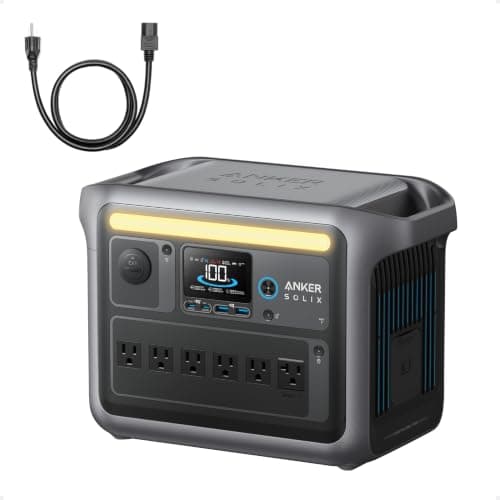
Anker SOLIX C1000

1,056Wh of LiFePO4 with 1,800W output and a fast recharge.

A fridge plus the essentials, indoors
2
No photo

Best straightforward alternative

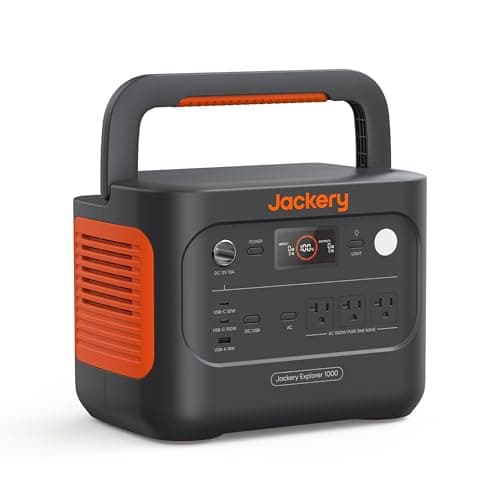
Jackery Explorer 1000 v2

A kilowatt-hour of LiFePO4 in the size and weight most people want.

A first battery, simply
3
No photo

Highest value per dollar

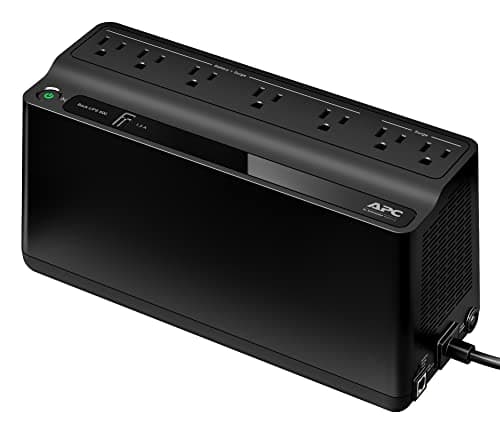
APC Back-UPS BE600M1

600VA / 330W with a published 6-10 ms transfer time and about 23 minutes at 100W.

Keeping the internet alive through short outages
4
No photo

If you have a balcony

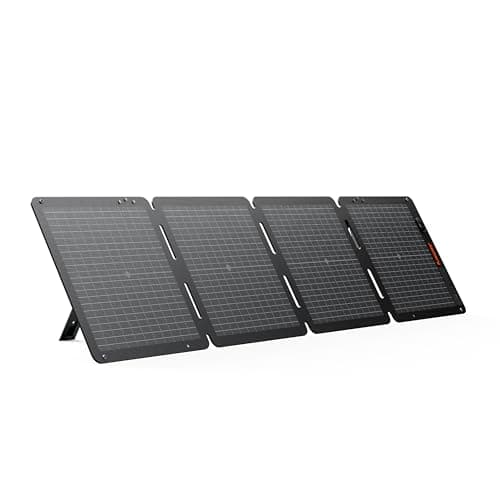
Jackery SolarSaga 100W

100W bifacial at 4.52 lb and IP68, with up to 25% conversion efficiency.

Recharging without mains power

Prices come from the retailer at page-build time and change constantly. Where no live price is available the button reads “Check price” rather than showing a number we cannot stand behind.

The picks in full

01Best overall for an apartment

Anker SOLIX C1000

1,056Wh of LiFePO4 with 1,800W output and a fast recharge.

1,800W of output starts a refrigerator, which is the load that actually matters in an apartment — heating and cooling are usually building systems you cannot reach anyway.

LiFePO4 and a fast recharge suit apartment use specifically: the unit lives in a cupboard for years and needs to refill quickly in the windows when power returns.

No exhaust, no fuel, no noise. In a building where a generator is both prohibited and genuinely dangerous, that is not a preference, it is the entire product category.

Skip it ifyour outages are hours and you only care about phones. A power bank does that.

Published specifications for the Anker SOLIX C1000
SpecificationPublished figure
Usable capacity1,056 Wh
Cell chemistryLiFePO4 (LFP)
AC output1,800 W continuous / 2,400 W SurgePad
Cycle life3,000 cycles
Wall recharge80% in 43 min, full in 58 min
Max solar input600 W (full solar recharge ~1.8 h)
Ports11 total, including 6 AC on panel-equipped bundles

Source: Anker — SOLIX C1000 product specifications. These are the manufacturer's published figures, not ours — we have not tested this unit.

02Best straightforward alternative

Jackery Explorer 1000 v2

A kilowatt-hour of LiFePO4 in the size and weight most people want.

At this tier the products have converged, and the useful differences are recharge speed, solar input and physical footprint. In an apartment the last one is often the decider.

Measure the cupboard before you buy. A unit that does not fit somewhere sensible ends up in a hallway and then gets resented.

Skip it ifstorage space is your binding constraint. Then go smaller and accept less.

Published specifications for the Jackery Explorer 1000 v2
SpecificationPublished figure
Usable capacity1,070 Wh
Cell chemistryLiFePO4 (LFP)
AC output1,500 W continuous / 3,000 W surge
Weight24 lb
Cycle life4,000 cycles to 70% capacity
Max solar input400 W
Wall recharge~1.7 h, or ~1 h in emergency mode
Warranty3 years, extendable to 5 on registration

Source: Jackery — Explorer 1000 v2 product specifications. These are the manufacturer's published figures, not ours — we have not tested this unit.

03Highest value per dollar

APC Back-UPS BE600M1

600VA / 330W with a published 6-10 ms transfer time and about 23 minutes at 100W.

Apartment outages are frequently short, and the disruption is mostly the reboot rather than the outage. Networking equipment draws about 20W, so this runs it far longer than its 100W rating suggests.

Cheap, silent, and it fits behind the router where nobody sees it — which matters in a small space.

Skip it ifyou already run the router from a power station.

Published specifications for the APC Back-UPS BE600M1
SpecificationPublished figure
Capacity600 VA / 330 W
Outlets7 total — 5 battery-backed, 2 surge-only
Run timeabout 23 min at a 100 W load
Transfer time6–10 ms typical
Battery life3–5 years depending on use
ExtrasUSB charging port

Source: APC — Back-UPS BE600M1 product specifications. These are the manufacturer's published figures, not ours — we have not tested this unit.

04If you have a balcony

Jackery SolarSaga 100W

100W bifacial at 4.52 lb and IP68, with up to 25% conversion efficiency.

4.52 lb and folding matters here more than anywhere: it comes out onto the balcony for the afternoon and goes back in a cupboard. A rigid panel is not an apartment product.

Be realistic about aspect and shading. A balcony overshadowed by the building next door produces very little, and angle is the biggest lever you have.

Skip it ifyou have no outdoor space or a north-facing one. Then there is no recharge path and capacity is everything.

Published specifications for the Jackery SolarSaga 100W
SpecificationPublished figure
Rated output100 W
Cell typeMonocrystalline, bifacial
Conversion efficiencyup to 25%
Ingress ratingIP68
Weight4.52 lb
CompatibilityJackery Explorer stations

Source: Jackery — SolarSaga 100W product specifications. These are the manufacturer's published figures, not ours — we have not tested this unit.

How these were chosen

We did not test these. Nobody at Watt & Warden has plugged one in. What we did instead: read the manufacturer's published specifications, compile them into a table where the figures line up, and compute the numbers manufacturers leave out — runtime against a real appliance load, and what an hour of running actually costs.

Anything that could not be sourced was left out rather than estimated, and every pick names the buyer who should skip it. The full method is here, including where it is weaker than a publisher with a test bench.

Questions people actually ask

Can I use a generator in an apartment?

No. A balcony is not outdoors in the sense safety guidance means -- exhaust rises into windows above and collects under covered balconies, and Ready.gov requires twenty feet from windows and doors, which no balcony provides. Fuel storage is also prohibited by most fire codes and leases.

What size power station do I need for an apartment?

A kilowatt-hour with an 1,800W inverter covers the realistic list: a fridge at about 150W average with a 500-1,000W start, plus router, laptop and lighting at roughly 140W together. That is most of a day, or well over a day if you run the fridge in blocks.

Does water stop working in an apartment during a power outage?

Above a certain floor, usually yes. Most tall buildings use electric booster pumps, so lower floors may keep gravity pressure while upper floors lose it entirely, including flushing. Store drinking water and fill the bath when an outage is forecast.

Can I charge a power station on my balcony with solar?

If the aspect and shading allow it. A folding 100W panel is the right product -- light enough to bring out for the afternoon and put away after. Be realistic about a balcony overshadowed by the building opposite, which produces very little regardless of the panel's rating.

What should I buy if I have no storage space?

A small UPS behind the router, two 20,000 mAh power banks, lanterns and headlamps, and a weather radio. That set fits in one drawer, costs a fraction of a power station, and covers the short outages that make up most of what apartments actually experience.
Sources

Every figure on this page comes from a published source. We have not tested this equipment, so the specifications are the manufacturer's and the statistics are the dataset's — the arithmetic on top of them is ours, and it is shown in full so you can check it. How we work this out.