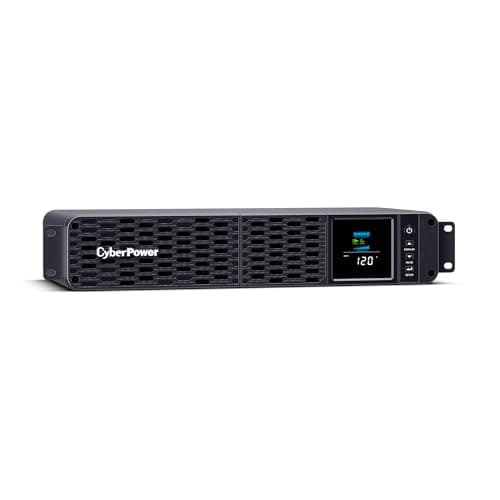
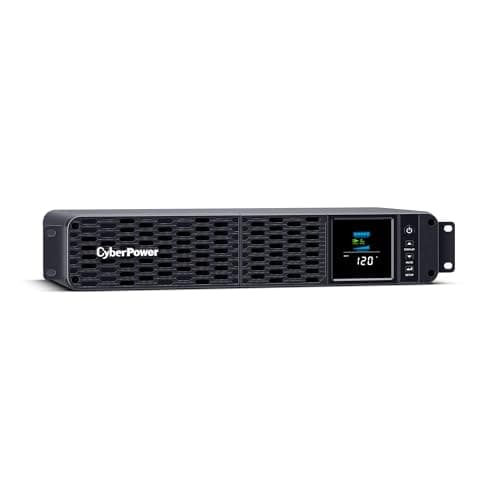
A rack-mount UPS is sold on one number, bought on a second and used according to a third. The front of the box says 1500VA. The thing you actually have to size against is watts. And the thing that decides whether the purchase was any good is minutes - how long it holds the rack up while your shutdown runs.
The three barely relate to each other. Across the certified 1U and 2U 120 V units, the same 1,500 VA label buys anywhere from 900 to 1,350 watts, and two units with an identical 1,500 VA / 1,000 W rating differ by two and a half times in tested runtime. Price does not track any of it: on this page the unit with the most watts is not the one with the most minutes, and neither is the most expensive.
That is normally impossible to check, because every manufacturer publishes runtime on its own terms or not at all. There is one exception, and this page is built on it.
The one source that makes these comparable
The EPA's ENERGY STAR Certified Uninterruptible Power Supplies database publishes, for every certified model, the apparent output rating in VA, the active output rating in watts, the IEC topology classification, the energy-storage chemistry, the manufacturer warranty on that storage, and - the field nobody else publishes consistently - the runtime at 100% and at 50% resistive load, “tested with the model.” Every model is certified against the same Version 2.0 program requirements, so the numbers are comparable in a way that marketing pages are not.
Two caveats worth stating. The figures are reported by manufacturers under a common test method rather than independently retested by the EPA, so treat them as a level playing field rather than a laboratory verdict. And a resistive test load is kinder than a rack full of switching power supplies, so read the minutes as an optimistic ceiling. Within those limits it is the only apples-to-apples runtime data that exists for this category.
Not everything is in it. CyberPower's PR series and the 1U OR500LCDRM1U are not certified, so there are no comparable figures for them and they are not ranked here. That is a reason to leave them out of a ranking, not a mark against the hardware.
Watts and minutes, for every certified unit here
Sorted by tested runtime at half load. Picks on this page are highlighted; the others are included because they are what the rest of the class looks like.
| Model | VA | Watts | W per VA | Topology | At 50% load | At 100% load |
|---|
| APC Smart-UPS SMT1000RM2UC | 1,000 | 700 | 0.70 | Line interactive | 29 min | 8 min |
|---|
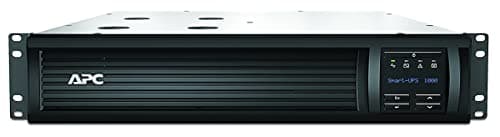
| APC Smart-UPS SMT1500RM2UC | 1,500 | 1,000 | 0.67 | Line interactive | 25 min | 7 min |
|---|
| APC Smart-UPS SMX1500RM2UC | 1,440 | 1,350 | 0.94 | Line interactive | 14 min | 5 min |
|---|
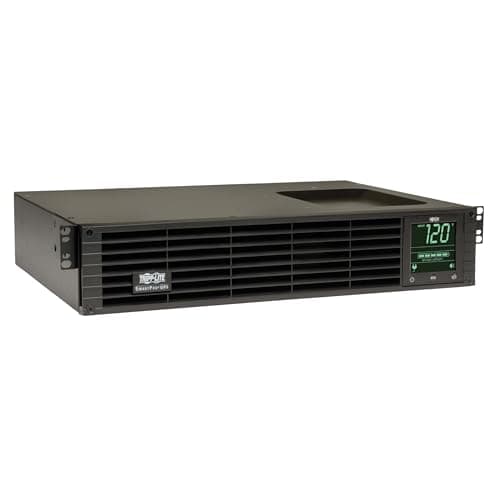
| Eaton Tripp Lite SMART1500RM2U | 1,500 | 1,350 | 0.90 | Line interactive | 13 min* | 4.5 min* |
|---|
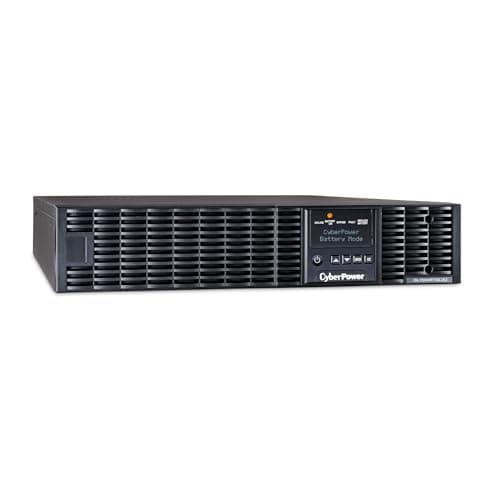
| CyberPower OL1500RTXL2U | 1,500 | 1,350 | 0.90 | Double conversion | 11 min | 4 min |
|---|
| CyberPower CP1500PFCRM2U | 1,500 | 1,000 | 0.67 | Line interactive | 10 min | 2 min |
|---|
| CyberPower CP2000PFCRM2U | 2,000 | 1,200 | 0.60 | Line interactive | 10 min | 2 min |
|---|
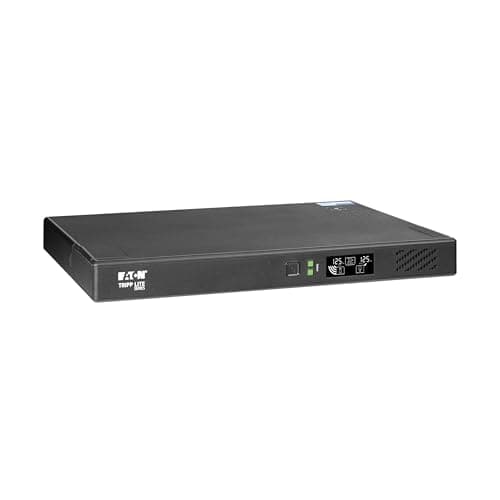
| Eaton Tripp Lite BC1500RT1ULNC | 1,440 | 1,050 | 0.73 | Passive standby | 8 min | 1 min |
|---|
All figures from the ENERGY STAR certified UPS database except those marked *, which are from Eaton's own datasheet - the SMART1500RM2U is not ENERGY STAR certified. The APC SMT1000RM2UC and SMX1500RM2UC are listed for context and are not picks on this page.
Read down the W-per-VA column and the headline number falls apart. A 1,440 VA APC delivers 1,350 W; a 2,000 VA CyberPower delivers 1,200. The smaller label carries the bigger load. Read down the runtime column and it falls apart a second time, in the opposite direction: the two units with the best watts-per-VA sit in the middle of the runtime table, and the longest runtime in the entire class belongs to the smallest unit on the list, a 1,000 VA / 700 W APC that holds half its load for 29 minutes.
A rack UPS is a shutdown device, not a ride-through device
Look at the 100% column. The best unit in the class manages eight minutes. Most manage two to five. The one with the longest-lived battery chemistry manages one.
No rack UPS in this size class is going to carry you through an outage. What it is going to do is notice the power is gone, tell your servers, and hold them up for the ninety seconds it takes them to flush their writes and halt cleanly. Everything else about the purchase is secondary to whether that chain actually works, which means the software matters more than the specification:
- The signalling cable has to be plugged in. A UPS with no USB or serial connection to anything is a very expensive surge strip with a battery in it.
- Something has to listen. PowerChute on APC, PowerPanel on CyberPower, PowerAlert on Eaton Tripp Lite, or Network UPS Tools if the rack is Linux - the Eaton unit above is explicitly listed as NUT compatible, which is worth checking before you buy if that is your stack.
- One machine signals, the rest follow. One host talks to the UPS and acts as the NUT or PowerChute server; everything else in the rack is a client. A second USB cable does not make a second master.
- Test it by pulling the plug. Annually, deliberately, with everything running. A shutdown chain that has never been exercised is a hypothesis.
The full server rack guide walks through layering the UPS, the automated shutdown and the runtime purchase in the order they should actually be bought.
If you want hours, the UPS is the wrong product
The search that brings most people here is some version of backup power for a server room, and the honest answer is that it is two purchases, not one. The UPS buys the seconds that keep the hardware from a hard stop. Hours come from somewhere else entirely:
- A portable power station feeding the UPS is the cheapest route to hours for a small rack. The UPS covers the changeover, the station covers the duration, and a 2 kWh unit will run a 250 W rack for most of a working day. Power stations with a UPS function compares the ones that can do the job directly.
- A generator is the answer past roughly a day, and it is also the only answer once cooling enters the picture. Size it for the room, not the rack.
That last point is the one people get wrong. In a closed server room the servers are rarely the biggest load - the air conditioning is. A 500 W rack in a sealed closet will climb through its thermal limits in a surprisingly short time with the cooling off, so a generator plan that carries the rack but not the cooling buys you heat soak instead of uptime. A room that can be left to coast needs a UPS and a shutdown script; a room that genuinely has to stay up needs the cooling on the generator too, which is a different and much larger machine. What an air conditioner actually draws is the number to start from.
Topology, in the order it matters
ENERGY STAR classifies each model into one of three designs, and the label is more informative than the marketing name on the box.
- Passive standby runs your gear on raw utility power and flips to the inverter when it fails. Cheapest, and the output on battery is often a stepped or PWM approximation of a sine wave rather than the real thing. Fine for a switch and a modem; not what you want in front of a server with an active power-factor-corrected supply.
- Line interactive adds automatic voltage regulation, so it corrects brownouts and swells by transformer tap rather than by dumping to battery. This is the right answer for almost every rack, and it is what five of the six picks here are.
- Double conversion never connects the load to the utility at all. Buy it when something in the rack genuinely cannot tolerate a few milliseconds, or when the incoming supply is so dirty that a line-interactive unit would be switching to battery constantly and eating its own cycle life.
The practical consequence is that topology sets the floor on quality and runtime sets the ceiling on usefulness - and neither is the VA number.
The four things that decide this after the specs
- Depth, then weight. A 2U rack UPS is 40 to 50 lb of lead at the very front of the rails. Measure the cabinet first: the Eaton 2U needs 17 inches of depth, and plenty of wall-mount home racks do not have it. Always mount a UPS at the bottom of the rack.
- Noise, if it lives in the house. Fan-cooled units run their fans whenever they are charging. 45 dBA is not loud in an office and is extremely loud in a spare bedroom at 2 a.m. The convection-cooled 1U above exists for exactly this reason.
- The network card, and whether it is included. A management card turns the UPS into something you can see remotely and shut down over the network. On most of this class it is an accessory costing a meaningful fraction of the UPS. On one pick here it is in the box.
- The battery is a consumable. Lead-acid in a warm rack is a three-to-five year part, and the warranty on it varies from one year to three across models that otherwise look identical. Check that the cartridge is user-replaceable and hot-swappable before you buy, or you are unracking the thing to change it.
What to actually buy
Start by measuring the rack rather than guessing it - a plug-in meter on the rack's feed for a week will tell you the real average and the real peak, and most people are startled by how low the average is. How to size a UPS works through turning that figure into a VA and watt target with the right headroom.
Then: if the rack draws under about 600 W and you want the cheapest honest answer, the CyberPower CP1500PFCRM2U does everything the expensive units do for a third of the money. If your shutdown is slow or your load is a storage array mid-rebuild, the APC SMT1500RM2UC is the one that buys you twenty-five minutes instead of ten. If the rack is near a kilowatt, the Eaton SMART1500RM2U is the one that actually delivers 1,350 W. And if it is a closet rather than a rack, the 1U lithium unit removes the fan, the weight and the battery schedule in one purchase - provided you accept that Eaton rates it for a point-of-sale terminal rather than a server.
Whichever you buy, buy the shutdown chain with it. The hardware is the easy half.