The chain has four links
Backing up the cameras alone is the most common mistake here, and it produces a system that is powered and useless.
- The cameras. Tiny loads, and often powered over Ethernet from a switch rather than individually.
- The PoE switch or hub. If this stops, every camera stops, however well backed up they are.
- The recorder. Local NVR or DVR, if you have one. This is where footage actually lands.
- The router, modem and your provider's equipment. Everything cloud-based depends on this, and the last part is not yours.
A camera on backup power with a dead switch records nothing. A whole system on backup power with a dead modem records locally and shows you nothing until the power returns. Both are common and both are avoidable.
What it all actually draws
| Component | Typical draw | Per 24 hours |
|---|
| PoE camera, each | 3-8 W | ~130 Wh for four |
|---|
| PoE switch | 10-20 W plus camera load | ~350 Wh |
|---|
| NVR with drives | 20-50 W | ~850 Wh |
|---|
| Router and modem | ~20 W | ~480 Wh |
|---|
| Alarm panel | 5-15 W | ~240 Wh |
|---|
| Whole system | 60-100 W | ~1,500-2,400 Wh |
|---|
Working estimates from typical equipment power-supply ratings rather than manufacturer measurements. Infrared illumination at night raises camera draw meaningfully, and a recorder with several spinning drives sits at the top of its range. Read your own equipment's labels — how to do that.
The whole system is 60 to 100 watts, which is less than a single lamp. In backup terms this is a cheap problem, and that is the good news.
Alarm panels usually have their own battery
Worth checking rather than assuming, because it changes what you need.
Monitored alarm systems typically include a sealed lead-acid backup battery in the panel, sized to keep the system armed and communicating for some hours after a power failure. Many jurisdictions and insurers expect it.
Two things to know:
- That battery is a consumable. Three to five years, and it fails quietly. Most panels report a low-battery condition — worth acting on rather than silencing.
- It keeps the panel alive, not the internet. If your monitoring goes over broadband rather than cellular, a working panel with a dead modem still cannot reach anyone.
Alarm systems with a cellular communicator are meaningfully better in an outage for exactly this reason — although cell sites run on their own finite backup too.
Cloud cameras versus local recording
| Cloud cameras | Local NVR |
|---|
| If your internet fails | Records nothing at all | Keeps recording locally |
|---|
| If you lose the recorder | Footage is already off-site | Footage is gone with it |
|---|
| Power draw | Lower — no recorder | Higher — drives spinning |
|---|
| Viewing during an outage | Only if the internet survives | Locally, on the network, without internet |
|---|
| Backup complexity | Simpler, but depends on things you do not control | More to power, but self-contained |
|---|
Neither is strictly better. The point is that they fail differently, and a system with both — local recording plus cloud upload when the network is up — covers the failure modes the other leaves open.
Battery cameras change the calculation
A camera with its own rechargeable battery keeps recording through an outage without any backup power at all, which is a genuine advantage.
But the same limitation applies: it records to the cloud, and the cloud needs your internet. So a battery camera in an outage is a camera storing clips locally on the device until the network returns, or missing them entirely depending on the model.
Which brings the answer back to the same place — power the router and modem first, whatever your cameras are.
What to do, in order
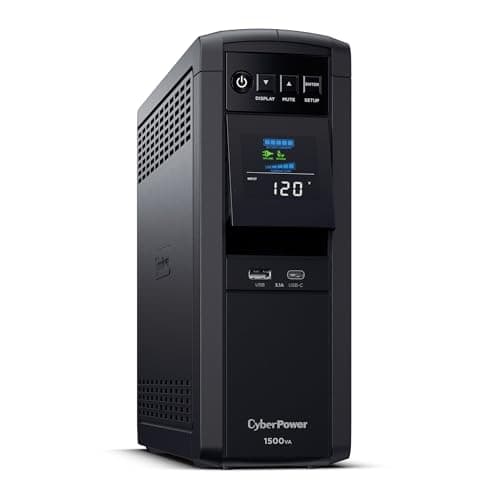
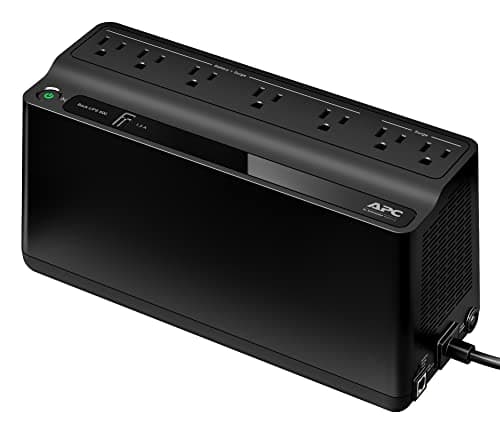
- Put the router and modem on a small UPS. Cheapest item, largest effect, and it fixes flickers as well as outages. The router page covers it.
- Put the recorder on a UPS too, or on the same one if it has capacity. Hard shutdowns corrupt recordings.
- Check the alarm panel's own battery age and replace it on schedule rather than on failure.
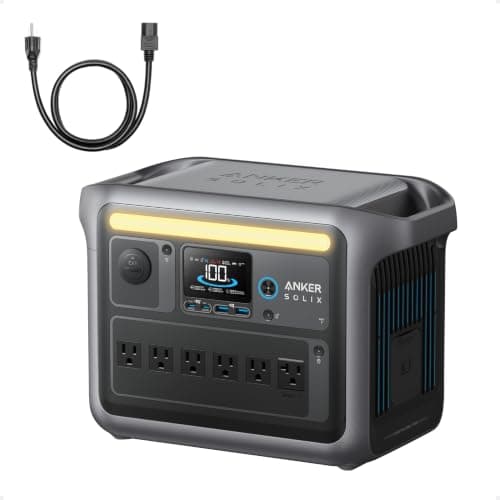
- Add a power station for duration if your outages run past a UPS's twenty minutes — which most do.
- Accept the upstream limit. Your provider's street equipment and the cell towers run on their own finite batteries, and nothing you buy changes that.
The realistic expectation
For a short outage, everything works: the UPS carries the network, the cameras keep recording, and you can watch remotely.
For a long one, expect the internet to go regardless. At that point the useful goal is local recording that survives — footage you can review afterwards — rather than live remote viewing that depends on infrastructure you do not own.
Designing for that is cheaper and more honest than trying to keep a video stream alive through a regional outage. Why the internet goes down covers the upstream side.