The verdict, in one paragraph
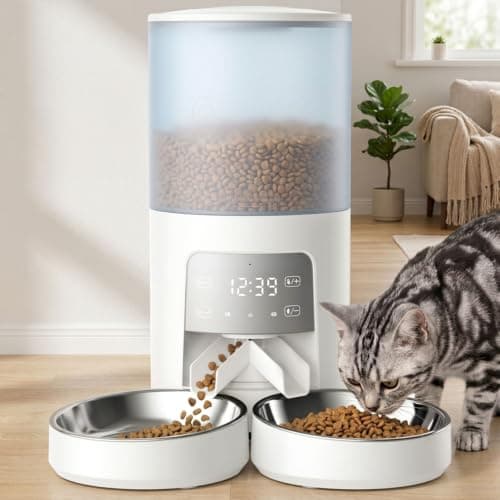
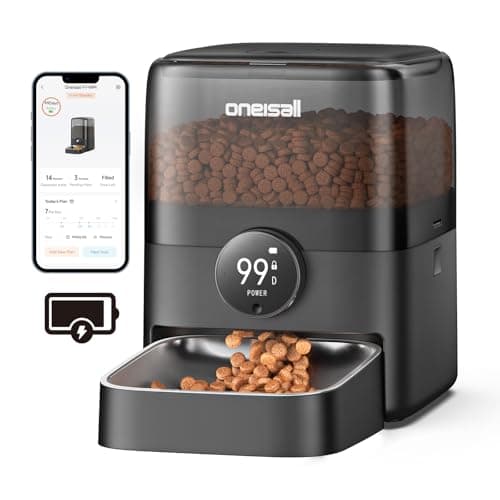
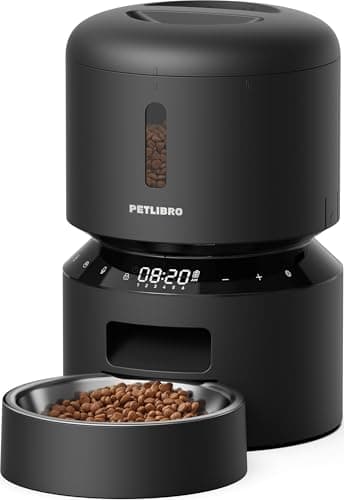
An automatic feeder is a 10-watt appliance — PETLIBRO publishes a power adapter output of DC 5V/2A — which makes it one of the cheapest things in a house to keep running. Most mid-range feeders already carry some backup: PETLIBRO publishes up to 24 hours of built-in rechargeable backup on the Granary 2, up to 48 hours on the Vision models, and 3 x alkaline D cells on its corded RFID feeder. The problem is not the schedule, which survives. It is that Wi-Fi is switched off on battery power by design, and your router has no battery either — so the feeder keeps feeding and you have no way to know. If being able to see that matters, the answer is a small UPS carrying the feeder, the modem and the router together.
What the manufacturers actually publish
| Feeder | Published backup | Published runtime | Wi-Fi on battery? |
|---|
| PETLIBRO Granary 2 | Built-in rechargeable battery, included | Up to 24 hours | Not stated |
|---|
| PETLIBRO Granary 2 Vision / Vision Duo / 2 X | Built-in rechargeable battery, included | Up to 48 hours | Not stated |
|---|
| PETLIBRO One RFID feeder | 3 x alkaline D batteries, not included | Not published | No — disabled to extend working time |
|---|
| WOPET HV10DP | AC adapter plus 3 x D-cell batteries, not included | Not published | Not stated |
|---|
Manufacturer figures from the brands' own product pages, cited under Sources. “Not published” means exactly that — we have not estimated a runtime where a maker declined to state one. Live prices on the hardware above sit inside the buy buttons, each with the date it was last refreshed.
The finding: your schedule survives, your visibility does not
PETLIBRO's product FAQ for its One RFID feeder answers the question directly, and the wording is worth reading twice:
“The batteries should only be used as an emergency backup. When the feeder is powered solely by batteries, the Wi-Fi function and reset button will be disabled to extend the working time, while meal schedules will be carried out normally.”
That is a sensible engineering decision and a bad surprise. The reason most people buy a camera feeder is so they can check on an animal while they are away — and the moment the power fails, which is precisely when you want to check, the camera and the app go dark while the hopper keeps turning.
It compounds with something this site has written about before: a residential internet connection has no battery of its own. Even a feeder that kept its radio on would have nothing to talk to — what a power outage does to your internet covers why.
The three ways to solve it, in order of cost
- Put D cells in the feeder and accept the blind spot. Free, if the feeder takes them. The animal gets fed; you find out afterwards. PETLIBRO says alkaline, not rechargeable, for its D-cell models.
- Buy a feeder with a published rechargeable backup. Up to 24 or 48 hours, included in the box, nothing to remember. This is the right default for most households.
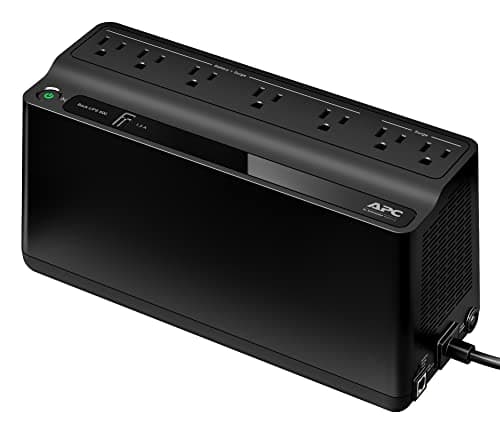
- Put the feeder, the modem and the router on one small UPS. This is the only option that keeps the app working. At 10 watts, the feeder is the smallest load on the strip.
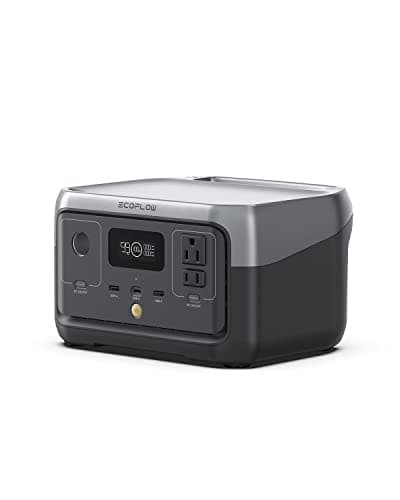
- Use a small power station for outages measured in days. 256Wh against a 10W load is about 25 hours, and unlike a UPS it can be recharged from a car or a panel.
How long a feeder runs on what
| Power source | Published capacity | Feeder at 10 W | Keeps Wi-Fi up? |
|---|
| Built-in rechargeable backup | Published as a runtime, not a capacity | Up to 24 h, or 48 h on some models | No router power, so no |
|---|
| APC BE600M1 UPS | 600 VA / 330 W | Longer than its published 23 min at 100 W | Yes, if the modem and router are on it |
|---|
| EcoFlow RIVER 2 | 256 Wh / 300 W | About 25 h | Yes, and the router too |
|---|
The 10W figure is PETLIBRO's published adapter output of DC 5V/2A. The 25-hour figure is our arithmetic against EcoFlow's published 256Wh, before conversion losses. UPS runtime does not scale linearly with load, so the middle row is deliberately qualitative rather than a number we have invented.
What to check before you rely on any of it
- Are the batteries actually in it? D cells are sold separately on every feeder here that uses them. An empty compartment is the single most common version of this failure.
- Does the schedule survive a restart? Test it. Unplug the feeder for a minute, plug it back in, and check the schedule and the clock are still right before you leave for a week.
- How much food is in the hopper? A 3L hopper and a 6L hopper are different answers to a multi-day absence, and no amount of backup power dispenses food that is not there.
- Is there water? Feeders get the attention and fountains are the bigger risk — a pump that stops is a bowl that empties or stagnates.
- What happens to the house temperature? For most pets this is the real hazard in a long winter outage, not the food — staying warm without power applies to animals too.
Where this sits in a household plan
If you already own a power station for outages, a feeder is an afterthought — 10 watts is less than a single LED lamp, and anything in the catalog runs one for days. The reason this page exists is that people who own feeders are frequently not people who own backup power, and the feeder is the thing that made them think about it.
The same logic applies to the other small animal loads in a house. An aquarium is a far harder problem because heaters and pumps run continuously — backup power for an aquarium is where that goes. A feeder, by comparison, is the easy one.
The short version
Feeders draw about ten watts, and most mid-range models already publish a backup of up to 24 or 48 hours. The schedule survives an outage; the Wi-Fi does not, because the makers turn it off to protect the battery and because your router has no power anyway. Put D cells in if the feeder takes them, buy one with a built-in rechargeable backup if you are choosing now, and add a small UPS for the feeder, modem and router together if you need to actually see that it worked.