Skip to content
Watt Warden

Home Standby

Home Battery Backup Apps Compared

No home battery app shows appliance-level consumption on its own. Here is what each one does show, what you add to get the rest, and which is simplest for whoever is home when the power goes.

By Sawyer V.Updated Published How we work this out
A person holding a smartphone indoors in low evening light.

Watt & Warden earns a commission on qualifying purchases made through links on this page, at no extra cost to you. It never changes a ranking, and our picks include products we tell you to skip. Full disclosure.

Quick picks

#ProductBest forPrice
1
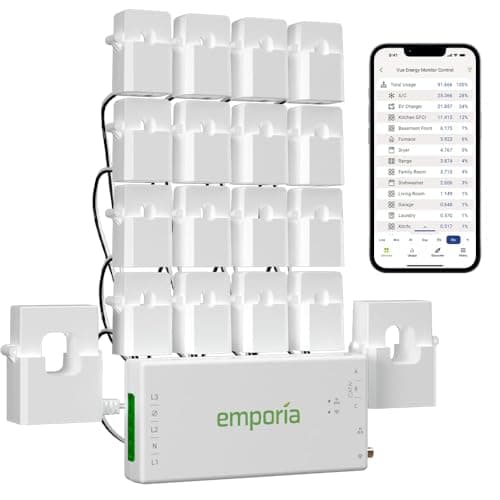
Emporia Vue 3 Energy Monitor

The only honest route to appliance-level data

Emporia Vue 3 Energy Monitor

Clamp-on sensors on the whole panel plus individual circuits, one-second resolution live, hourly history kept indefinitely.

Knowing what each circuit actually draws, before and during an outage
$199.99 · Check price on Amazon

#ad how this is funded · price as of October 20, 2026

2
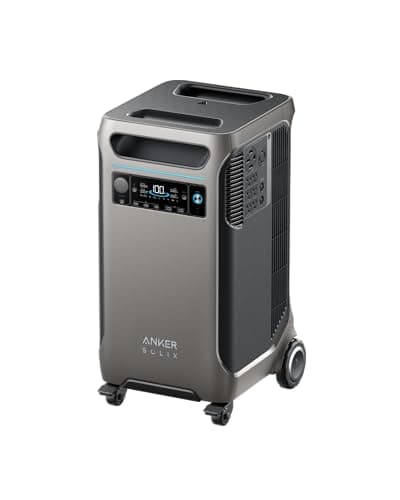
Anker SOLIX F3800

Simplest for a non-technical household

Anker SOLIX F3800

Twelve backed-up circuits, energy stats in the Anker app, and a manual grid-or-backup switch you can throw from a phone.

Someone who needs one screen, one number and one switch
$1,759.99 · Check price on Amazon

#ad how this is funded · price as of October 20, 2026

3
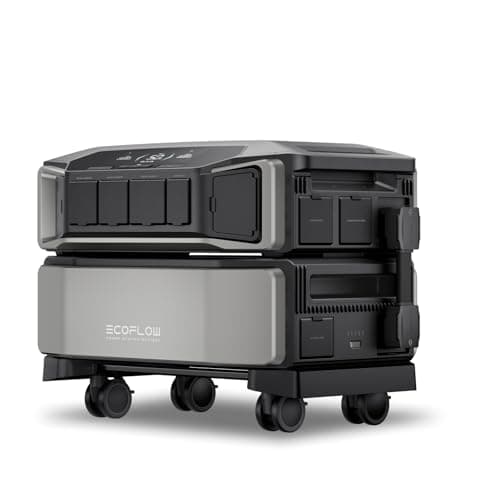
EcoFlow DELTA Pro Ultra

Most complete whole-home picture

EcoFlow DELTA Pro Ultra

Real-time home consumption plus solar and generator input, twelve circuits through the Smart Home Panel 2, and a wall-mounted display and web dashboard as well as the app.

A household that wants the data on a wall, not only a phone
$4,199.00 · Check price on Amazon

#ad how this is funded · price as of October 20, 2026

4
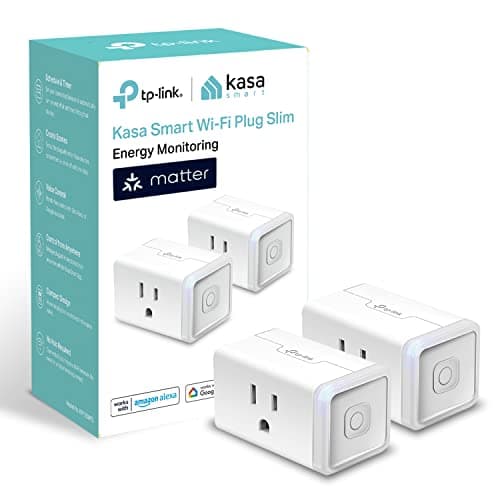
Kasa KP125M Smart Plug

True appliance-level, for one appliance

Kasa KP125M Smart Plug

Real-time and historical consumption per outlet, rated to 1,800W, for a fraction of any monitor's price.

Settling an argument about what one device really draws
$29.99 · Check price on Amazon

#ad how this is funded · price as of October 20, 2026

5
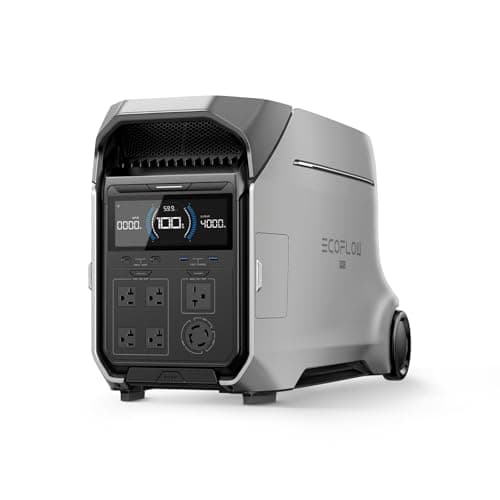
EcoFlow DELTA Pro 3

App monitoring without an installation

EcoFlow DELTA Pro 3

The same EcoFlow app and ecosystem, on hardware that needs no panel work to be useful.

Monitoring a battery you can still wheel somewhere else
$2,799.00 · Check price on Amazon

#ad how this is funded · price as of October 20, 2026 · $3,699.00 24% off

Prices come from the retailer at page-build time and change constantly. Where no live price is available the button reads “Check price” rather than showing a number we cannot stand behind.

The verdict, in one paragraph

No home battery brand's app offers appliance-level energy data on its own. The most granular published setup is Tesla with Eaton AbleEdge smart breakers, which Tesla documents as letting you see how much energy individual devices consume, switch them remotely, and set breakers to turn off during an outage to extend backup. Short of that, EcoFlow publishes the widest whole-home view — app, wall-mounted PowerInsight screen and web dashboard, with twelve circuits through the Smart Home Panel 2 — and Anker SOLIX publishes energy stats plus twelve backed-up circuits and a manual grid-or-backup switch. For true per-appliance numbers on any system, add a clamp-on circuit monitor or a metering smart plug.

What each app actually publishes

SystemGranularity publishedCircuit controlDisplay other than a phone
Tesla PowerwallDevice level, with Eaton AbleEdge smart breakers; live and historical flows otherwiseYes — remote on/off, and auto-off during an outageNot published; CSV export of system data
EcoFlow (Smart Home Panel 2)Whole home, plus solar and generator input12 circuitsWall-mounted PowerInsight screen and web dashboard
Anker SOLIX (Home Power Panel)Charging, discharging, battery status, energy stats12 circuits backed up; manual grid/backup switchUnit display
Emporia Vue 3 (added to any system)Whole panel plus individual circuits, 1-second live resolutionMonitoring only, no switchingApp and web
Metering smart plug (added to any system)One appliance, real-time and historicalThat outlet onlyApp

Each row is what the manufacturer publishes, from the pages cited under Sources. Nobody publishes a usability rating for their own app, so there is no honest way to rank these by how easy they feel — only by what they show.

Why no battery app knows what your appliances are doing

A home battery sits between the grid and a backed-up panel. What it can measure is what passes through it: total power in, total power out, state of charge. To know that 340 of those watts are a refrigerator, something has to be measuring the refrigerator.

There are exactly three ways to get that, and each is a purchase:

  1. Smart breakers. The breaker itself meters and switches. Tesla publishes this through Eaton AbleEdge, and it is the only manufacturer-integrated device-level option documented here.
  2. Clamp-on circuit sensors. A current transformer around each circuit inside the panel. Cheaper than smart breakers, monitoring only, and the Emporia route.
  3. Metering smart plugs. One per appliance, 120V and under 1,800W only, but genuinely per-device.

Anything that claims appliance-level data without one of those three is inferring it from a whole-home waveform, and inference is not measurement.

The question a family member actually has

"Easiest to monitor during an outage" is a different requirement from "most detailed," and the two pull in opposite directions. At 2am with the grid down, the person at home needs two facts:

  • How much is left, in hours. A percentage is worse than useless if nobody knows what the house draws. A system that says "11 hours at current load" has answered the question; one that says "64%" has not.
  • What to turn off to make it last. This is the case for circuit control over circuit measurement. Seeing that the water heater is using half the budget is interesting; being able to switch it off from the sofa is useful.

On those terms the ranking inverts. The simplest setup is a wall display that is already on, plus a short list of switchable circuits — which is the EcoFlow PowerInsight arrangement, or the Anker panel with its manual grid-or-backup control. A system with per-appliance graphs and no switching gives a worried person more to read and nothing to do.

What fails during an outage, and what that means for apps

Every app here is a phone talking to hardware over your home network and usually the internet. In an outage:

  • Your router is probably dead unless it is on the backed-up side or its own battery — backup power for a router and modem is a ten-dollar problem that disables a four-figure monitoring system.
  • Your broadband may be down regardless. Outages and internet covers which connections survive and which do not.
  • Bluetooth and local control are the fallback. Several of these systems fall back to a direct connection when the cloud is unreachable. Test it on a calm evening, not during the storm.

Who should buy what

  • You want genuine per-device data and are already buying Tesla: Eaton AbleEdge smart breakers. It is the only brand-integrated device-level option documented here.
  • You want per-circuit data on any system: an Emporia Vue 3 in the panel. It works alongside whatever battery you own.
  • You want one appliance measured exactly: a metering smart plug, under $30, under 1,800W.
  • Someone non-technical will be home alone with it: a wall display plus switchable circuits beats any amount of graphing. EcoFlow's PowerInsight or Anker's panel.
  • You just want to know the battery is charged: every app here does that, and it is not worth paying extra for.

The short version

Appliance-level detail is an accessory, not an app feature. Tesla with AbleEdge breakers is the only documented brand-integrated device-level setup; everyone else publishes whole-home data with circuit control at the panel. If you want numbers, add an Emporia-style circuit monitor or a metering plug. If you want a family member to cope at 2am, buy the system with a display on the wall and switches in the app, and spend the difference on keeping the router alive.

The picks in full

01 — The only honest route to appliance-level data

Emporia Vue 3 Energy Monitor

Clamp-on sensors on the whole panel plus individual circuits, one-second resolution live, hourly history kept indefinitely.

This is the answer to the question most people are actually asking. No home battery brand's own app resolves consumption down to a named appliance; what they publish is whole-home totals and, at best, circuit-level control through their panel. A clamp-on monitor is the piece that fills the gap.

Emporia publishes whole-panel plus individual-circuit measurement at one-second resolution live in the app, one-minute data kept seven days and hourly data kept indefinitely, with sensors rated to plus or minus 2%.

The honest catch: it measures circuits, not appliances. A kitchen circuit with a fridge, a microwave and a toaster on it reads as one line. True appliance-level means one circuit per appliance, or a smart plug.

Skip it ifyou are not comfortable opening a breaker panel, or hiring someone to. The sensors clamp around live conductors.

Emporia Vue 3 Energy Monitor
$199.99 · Check price on Amazon

#ad how this is funded · price as of October 20, 2026

Published specifications for the Emporia Vue 3 Energy Monitor
SpecificationPublished figure
CoverageWhole panel plus individual circuits via clamp-on sensors
CompatibilitySingle phase, single-split phase and 2-wire systems
AccuracySensors rated to +/- 2%
Resolution1-second data live in the app; 1-minute kept 7 days; hourly kept indefinitely
SolarSolar and net metering supported
Connection2.4 GHz Wi-Fi with an internet connection
CertificationUL certified

Source: Emporia — Vue 3 home energy monitor listing. These are the manufacturer's published figures, not ours — we have not tested this unit.

02 — Simplest for a non-technical household

Anker SOLIX F3800

Twelve backed-up circuits, energy stats in the Anker app, and a manual grid-or-backup switch you can throw from a phone.

Anker publishes charging, discharging and battery status in its app, with the Home Power Panel backing up to twelve circuits and the ability to switch manually between grid and backup from the phone.

What makes this the easy one is the shape of the information rather than the quantity. The question a family member actually has at 2am is "how much is left and what do I turn off" — percentage remaining plus a list of circuits with switches answers it without interpretation.

The honest catch: no manufacturer publishes a usability score, so nobody can honestly rank these apps on how easy they feel. What can be compared is what each one shows, and Anker's is the shortest path from opening the app to the two facts that matter.

Skip it ifyou want per-appliance detail. Anker publishes energy stats and circuit control, not device-level breakdown.

Anker SOLIX F3800
$1,759.99 · Check price on Amazon

#ad how this is funded · price as of October 20, 2026

Published specifications for the Anker SOLIX F3800
SpecificationPublished figure
Capacity3,840 Wh
Cell chemistryLiFePO4
AC output6,000 W continuous, 9,000 W surge
Voltage120V / 240V split-phase
Cycle life3,000+ cycles to 80% capacity
Recharge1,800 W AC, up to 2,400 W solar
ExpansionUp to six expansion batteries, 26.9 kWh total
Warranty5 years
Current Amazon listingRenewed. Anker's new first-party F3800 listing is currently unavailable and the model has been succeeded by the F3800 Plus; the unit itself is unchanged

Source: Anker SOLIX — F3800 product specifications. These are the manufacturer's published figures, not ours — we have not tested this unit.

03 — Most complete whole-home picture

EcoFlow DELTA Pro Ultra

Real-time home consumption plus solar and generator input, twelve circuits through the Smart Home Panel 2, and a wall-mounted display and web dashboard as well as the app.

EcoFlow publishes the broadest set of surfaces: real-time energy insight for the whole home including solar and gas input and battery capacity, delivered through the app, a wall-mounted PowerInsight screen and a web dashboard.

The wall screen is the quietly important part for the non-technical-family-member question. A display that is already on and already showing the number needs no phone, no login and no network — which is exactly the set of things that fails during a storm.

The honest catch: EcoFlow's published description is a complete home energy consumption overview rather than a per-circuit or per-appliance one. The granularity is at the panel, with twelve circuits controlled by the Smart Home Panel 2.

Skip it ifyou want per-appliance numbers. EcoFlow publishes a whole-home overview, not a device-level breakdown.

EcoFlow DELTA Pro Ultra
$4,199.00 · Check price on Amazon

#ad how this is funded · price as of October 20, 2026

Published specifications for the EcoFlow DELTA Pro Ultra
SpecificationPublished figure
Capacity6,144 Wh (102.4 V, 60 A)
Cell chemistryLFP
AC output7,200 W continuous, 120V/240V, 60 Hz pure sine
AC surge10.8 kW
Expansion (one inverter)30 kWh with 5 extra batteries
Expansion (system)90 kWh with 15 batteries; 21.6 kW across 3 inverters
UPSBackup UPS under 20 ms; online UPS 0 ms
Cycle life3,500 cycles to 80% capacity
Ingress ratingIP54
Warranty5 years

Source: EcoFlow — DELTA Pro Ultra product specifications. These are the manufacturer's published figures, not ours — we have not tested this unit.

04 — True appliance-level, for one appliance

Kasa KP125M Smart Plug

Real-time and historical consumption per outlet, rated to 1,800W, for a fraction of any monitor's price.

If "down to the specific appliance level" is the literal requirement, this is the only thing on the page that delivers it. A metering smart plug sits between the outlet and one device and logs exactly what that device uses.

Used before you buy a battery it is the best sizing tool there is: a week of real data on the fridge beats any published average. Sizing a home battery is built around doing exactly that.

The honest catch: 1,800W and 15A is the ceiling, so it cannot measure a dryer, a range, a water heater or a well pump — which are the loads most worth knowing about.

Skip it ifthe appliance is hardwired or 240V. A plug can only measure what plugs in.

Kasa KP125M Smart Plug
$29.99 · Check price on Amazon

#ad how this is funded · price as of October 20, 2026

Published specifications for the Kasa KP125M Smart Plug
SpecificationPublished figure
Rating100-120 V, 15 A, 1,800 W maximum
MonitoringReal-time and historical consumption, per outlet
BillingRate entry for single or time-of-use estimates
ControlSchedules, auto-off timers and presets in the Kasa app
StandardsMatter, 2.4 GHz Wi-Fi, UL certified
VoiceAlexa, Google Assistant and Siri
Size2.6 x 1.5 x 1.6 in

Source: TP-Link — Kasa KP125M product specifications. These are the manufacturer's published figures, not ours — we have not tested this unit.

05 — App monitoring without an installation

EcoFlow DELTA Pro 3

The same EcoFlow app and ecosystem, on hardware that needs no panel work to be useful.

The DELTA Pro 3 runs on EcoFlow's app like the Ultra does, and EcoFlow documents it as compatible with the Smart Home Panel 2 — though not simultaneously with a DELTA Pro Ultra.

For most households this is the realistic version of app monitoring: state of charge, input and output, and remote control of a machine that is plugged into extension cords rather than wired into a panel.

The honest catch: without the panel there are no circuits to monitor, so the app shows what the battery is doing and nothing about the house.

Skip it ifyou want circuit-level control. That arrives with the Smart Home Panel, which is an installation.

EcoFlow DELTA Pro 3
$2,799.00 · Check price on Amazon

#ad how this is funded · price as of October 20, 2026 · $3,699.00 24% off

Published specifications for the EcoFlow DELTA Pro 3
SpecificationPublished figure
Capacity4,096 Wh
Cell chemistryLiFePO4 (LFP)
AC output4,000 W, 120V / 240V
Cycle life4,000+ cycles to 80% capacity
Wall recharge0-80% in about 1 hour
Max solar input2,600 W
Expansion4 kWh to 48 kWh

Source: EcoFlow — DELTA Pro 3 product listing. These are the manufacturer's published figures, not ours — we have not tested this unit.

How these were chosen

We did not test these. Nobody at Watt & Warden has plugged one in. What we did instead: read the manufacturer's published specifications, compile them into a table where the figures line up, and compute the numbers manufacturers leave out — runtime against a real appliance load, and what an hour of running actually costs.

Anything that could not be sourced was left out rather than estimated, and every pick names the buyer who should skip it. The full method is here, including where it is weaker than a publisher with a test bench.

Questions people actually ask

Which home battery brands show appliance-level energy data in their app?

None on their own. The most granular documented setup is Tesla with Eaton AbleEdge smart breakers, which Tesla publishes as letting you see how much energy individual devices consume and switch them remotely. Every other brand publishes whole-home data, with circuit-level control at the panel at best.

What does the EcoFlow app show during an outage?

EcoFlow publishes real-time energy insight for the whole home including solar and gas generator input and battery capacity, and delivers it through the app, a wall-mounted PowerInsight screen and a web dashboard. With the Smart Home Panel 2 it controls twelve circuits and switches over in 20ms.

What does the Anker SOLIX app show?

Anker publishes charging, discharging and battery status in the app, with energy stats for optimizing daily use. With the Home Power Panel it backs up to twelve circuits and lets you switch manually between grid and backup power from the app.

What is the easiest home battery setup for a non-technical person during an outage?

One with a display that is already on and a short list of circuits that can be switched off. A wall-mounted screen needs no phone, no login and no working network, all of which can fail in a storm. No manufacturer publishes a usability rating, so any ranking by how easy an app feels is opinion, not data.

How do I get true per-appliance consumption numbers?

Three ways, all purchases: smart breakers that meter and switch each circuit, clamp-on current sensors in the panel such as the Emporia Vue 3, or a metering smart plug per appliance. A clamp-on monitor measures circuits rather than appliances, so a shared kitchen circuit still reads as one line.

Will the app still work if the internet is down?

Partly. These apps normally reach the hardware over your home network and the cloud, and both can fail in an outage. Several systems fall back to a direct Bluetooth or local connection. Test that on a calm evening rather than discovering it during a storm, and keep the router on the backed-up side of the panel.

Sources