Skip to content
Watt Warden

Power Stations

The Best Power Stations for Starlink (2026)

Satellite internet is the one load where the manufacturer publishes an honest wattage. Size the battery against it and the answer stops being a guess.

By Sawyer V.Updated Published How we work this out
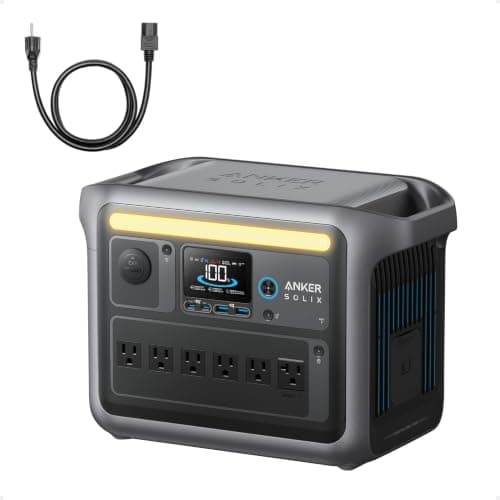
Anker SOLIX C1000

Watt & Warden earns a commission on qualifying purchases made through links on this page, at no extra cost to you. It never changes a ranking, and our picks include products we tell you to skip. Full disclosure.

Quick picks

#ProductBest forPrice
1
Anker SOLIX C1000

Best overall, for a Standard dish

Anker SOLIX C1000

1,056Wh against Starlink's published 75-100W means 10 to 14 hours of satellite internet, with enough left for a laptop and a phone.

A home dish that has to stay up through an outage
$499.99 · Check price on Amazon

#ad how this is funded · price as of November 7, 2026 · $599.99 17% off

2
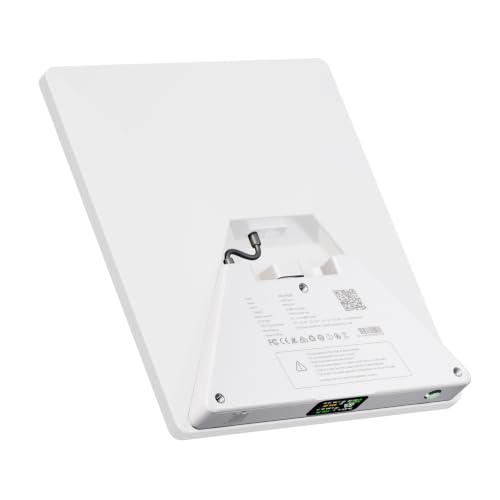
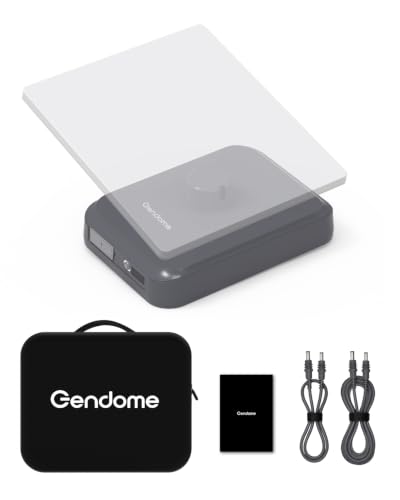
GENDOME StarGrid 288Wh Starlink Mini kit

Best purpose-built pack for a Mini

GENDOME StarGrid 288Wh Starlink Mini kit

288Wh of LiFePO4 in a case cut for the dish, with a published 8-hour runtime that checks out against Starlink's own numbers.

Carrying a Mini to a site with no power at all
$199.98 · Check price on Amazon

#ad how this is funded · price as of November 7, 2026 · $235.28 15% off

3
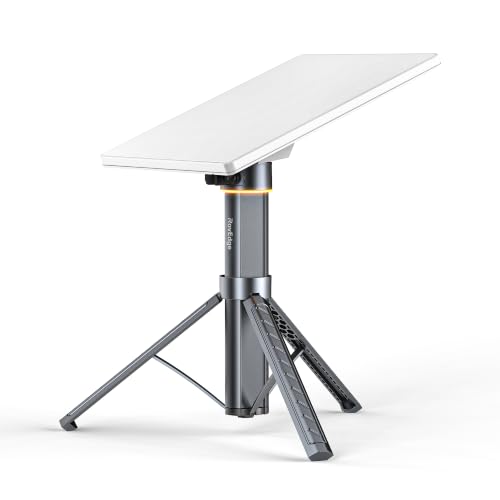
ROVEDGE MK-1 Starlink Mini power station

Best for a dish that lives outside

ROVEDGE MK-1 Starlink Mini power station

189Wh behind an IP67 shell with the tripod stand built in — the only pack here rated to sit outdoors next to the dish.

A Mini mounted in the weather for days at a time
$239.00 · Check price on Amazon

#ad how this is funded · price as of November 7, 2026

4
PeakDo LinkPower 1

Best for flying with it

PeakDo LinkPower 1

99Wh — deliberately under the airline threshold — with pass-through charging so the dish never drops while the pack refills.

A Mini that travels in carry-on luggage
$169.00 · Check price on Amazon

#ad how this is funded · price as of November 7, 2026

5
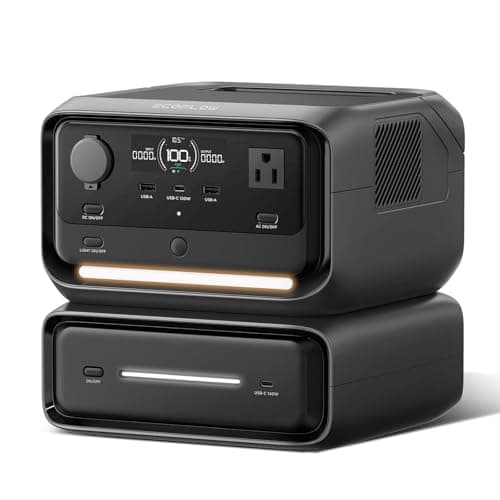
EcoFlow RIVER 3 Max

Best small all-rounder

EcoFlow RIVER 3 Max

572Wh and a published sub-10ms UPS switchover — the grid drops and the session does not notice.

A Mini plus a laptop, with the dish never blinking
$399.00 · Check price on Amazon

#ad how this is funded · price as of November 7, 2026

6
BLUETTI Elite 200 V2

Best for a multi-day outage

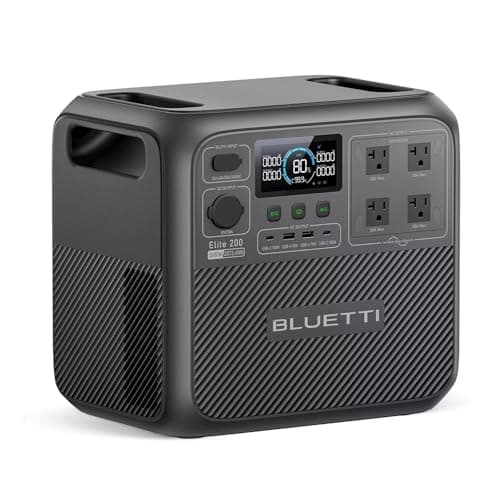
BLUETTI Elite 200 V2

2,073.6Wh — about 21 to 28 hours of a Standard dish, and that is before you turn anything off.

Rural properties where outages are measured in days
$899.00 · Check price on Amazon

#ad how this is funded · price as of November 7, 2026 · $1,399.00 36% off

7
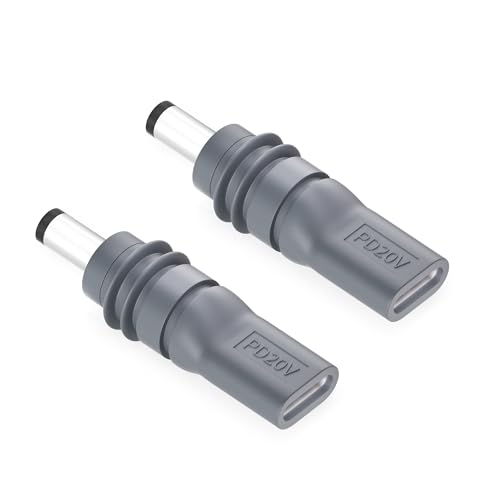
Gunovy USB-C to DC cable for Starlink Mini, 2 pack

The part that makes any of this work

Gunovy USB-C to DC cable for Starlink Mini, 2 pack

A USB-C to DC adapter, which is how a Mini accepts power from a station instead of from a wall brick.

Running a Mini from a station's USB-C port
$8.99 · Check price on Amazon

#ad how this is funded · price as of November 7, 2026

Prices come from the retailer at page-build time and change constantly. Where no live price is available the button reads “Check price” rather than showing a number we cannot stand behind.

The two numbers that decide this

Starlink is unusual: it publishes a straight wattage on its own specification sheets, for both hardware generations. Everything else on this page is arithmetic on those two figures.

What Starlink publishesStarlink MiniStarlink Standard
Power consumption, average25-40 W75-100 W
Operating temperature-30 degC to 50 degC-30 degC to 50 degC
Snow melt capabilityUp to 25 mm / hourUp to 40 mm / hour
Input rating12-48V, 60 WPower supply: 100-240V, 2.5 A
USB-C requirement100 W, 20V/5A minimumNot applicable
Environmental ratingIP67 Type 4IP67 Type 4

Note the gap between the two averages. A Standard dish is roughly three times the Mini, which is why a pack that runs a Mini all day runs a Standard for an evening.

Watt-hours into hours, for both dishes

Capacity divided by the published average, at both ends of Starlink's own range. No efficiency fudge factor is applied, so treat the right-hand column as the ceiling rather than the promise.

BatteryMini (25-40 W)Standard (75-100 W)
99 Wh pack2.5-4 h1-1.3 h
189 Wh pack4.7-7.6 h1.9-2.5 h
288 Wh pack7.2-11.5 h2.9-3.8 h
572 Wh station14-23 h5.7-7.6 h
1,056 Wh station26-42 h10.5-14 h
2,073 Wh station52-83 h20.7-27.6 h

The winter problem nobody mentions

Both dishes publish a snow melt capability — up to 25 mm an hour for the Mini, up to 40 mm for the Standard. Melting snow is heat, and heat is watts.

Starlink does not publish a separate figure for the dish while snow melt is running, which is precisely why the published average is a range rather than a number. Plan on the top of the range in winter: 40W for a Mini, 100W for a Standard. Every runtime in the table above should be read from its left-hand column between December and March.

The second winter caveat is the battery, not the dish. Lithium cells charge badly below freezing and most stations refuse to charge at all under 0 degC, even where the dish is rated to -30 degC. The cold weather page sets out which units publish their limits.

USB-C, or an AC outlet?

For a Mini this is a genuine fork, and USB-C wins where it is available.

  • USB-C direct. The station's DC rail feeds the dish through one conversion. Starlink publishes a 100W, 20V/5A minimum for this path, which a lot of small stations do not meet.
  • AC outlet plus the Starlink brick. Battery to AC, AC back down to DC. Two conversions, and the inverter also burns watts simply being switched on. Expect to lose a tenth of your runtime or more.

The Standard kit has no USB-C option — its power supply is a 100-240V unit, so it goes through an AC outlet and that is the end of it.

What to actually buy

  • Mini, carried to places with no power: a 288Wh purpose-built kit, or a 572Wh station if you want it to do anything else.
  • Mini, flying with you: 99Wh, because 100Wh is the line.
  • Standard, at home through outages: 1,000Wh or more, and get it on UPS passthrough so the dish does not reboot.
  • Rural, multi-day: 2,000Wh and up, and stop thinking of the dish as the load — it is the smallest thing you are backing up.

If the connection you are protecting is cable or fiber rather than satellite, the router and modem page is the right one: those loads are a tenth of this, and a small UPS is usually the better answer.
The picks in full

01 — Best overall, for a Standard dish

Anker SOLIX C1000

1,056Wh against Starlink's published 75-100W means 10 to 14 hours of satellite internet, with enough left for a laptop and a phone.

Starlink's own specification sheet for the Standard antenna publishes Power Consumption Average: 75 - 100 W. Divide 1,056Wh by those two figures and you get 10.5 to 14 hours — one full evening and the night after it, which covers the great majority of residential outages.

The 1,800W inverter is irrelevant to the dish and useful for everything else: this is the unit that also runs the router, the laptop and a lamp without you thinking about it. And the published 58-minute recharge matters more than it looks, because the window between two winter outages is often short.

The honest catch: it is 1,056Wh and the dish is the smallest load in your house. If internet is genuinely the only thing you want backed up and you have a Mini, the three purpose-built packs below are a quarter of the price.

Skip it ifyou only own a Mini. This is four times the battery that job needs.

Anker SOLIX C1000
$499.99 · Check price on Amazon

#ad how this is funded · price as of November 7, 2026 · $599.99 17% off

Published specifications for the Anker SOLIX C1000
SpecificationPublished figure
Usable capacity1,056 Wh
Cell chemistryLiFePO4 (LFP)
AC output1,800 W continuous / 2,400 W SurgePad
Cycle life3,000 cycles
Wall recharge80% in 43 min, full in 58 min
Max solar input600 W (full solar recharge ~1.8 h)
Ports11 total, including 6 AC on panel-equipped bundles

Source: Anker — SOLIX C1000 product specifications. These are the manufacturer's published figures, not ours — we have not tested this unit.

04 — Best for flying with it

PeakDo LinkPower 1

99Wh — deliberately under the airline threshold — with pass-through charging so the dish never drops while the pack refills.

The 99Wh capacity is not an accident. Airlines generally allow lithium packs up to 100Wh in carry-on without approval, and this one sits one watt-hour under the line. If the Mini is a travel object, that single number is the whole argument.

Pass-through charging is the second: plug a wall supply or a bigger station into it and the dish stays up while the pack refills, so there is no gap in a call.

The honest catch, and it is a real one: the listing claims up to 4.5 hours on a Mini. 99Wh over 4.5 hours implies about 22W, and Starlink's own published floor for the Mini is 25W. Treat 2.5 to 4 hours as the realistic range.

Skip it ifyou need a full working day. Its own 4.5-hour claim implies a draw below what Starlink publishes.

PeakDo LinkPower 1
$169.00 · Check price on Amazon

#ad how this is funded · price as of November 7, 2026

Published specifications for the PeakDo LinkPower 1
SpecificationPublished figure
Capacity99 Wh / 27,500 mAh
Runtime the listing publishesUp to 4.5 hours on a Starlink Mini
PortsUSB-C in and out, LCD display
Pass-throughYes — charges while powering the dish
Ingress ratingIP65, per the listing
Air travelUnder the 100 Wh carry-on threshold

Source: PeakDo — LinkPower 1 retail listing (99Wh/27,500mAh, up to 4.5 h runtime, USB-C in/out, pass-through, IP65). These are the manufacturer's published figures, not ours — we have not tested this unit.

05 — Best small all-rounder

EcoFlow RIVER 3 Max

572Wh and a published sub-10ms UPS switchover — the grid drops and the session does not notice.

572Wh against Starlink's 25-40W for the Mini is 14 to 23 hours, which is more than any purpose-built Mini pack sold, and it costs about the same as the 288Wh kit.

The reason to prefer it is the UPS behavior. EcoFlow publishes under 10 milliseconds of switchover, so a dish plugged in through this unit rides the moment the power goes rather than rebooting and re-acquiring. On a video call that is the difference between a flicker and a five-minute gap.

The honest catch: 990W of inverter is not a house. This backs up the internet corner, not the kitchen.

Skip it ifyou want the dish to live outdoors. This is an indoor unit with no ingress rating.

EcoFlow RIVER 3 Max
$399.00 · Check price on Amazon

#ad how this is funded · price as of November 7, 2026

Published specifications for the EcoFlow RIVER 3 Max
SpecificationPublished figure
Usable capacity572 Wh
AC output990 W
ClassCompact station for electronics, lights and a CPAP

Source: EcoFlow — RIVER 3 Max listing. These are the manufacturer's published figures, not ours — we have not tested this unit.

06 — Best for a multi-day outage

BLUETTI Elite 200 V2

2,073.6Wh — about 21 to 28 hours of a Standard dish, and that is before you turn anything off.

BLUETTI publishes 2,073.6Wh. Against Starlink's 75-100W for the Standard that is roughly 21 to 28 hours of dish, and in practice longer, because nobody runs satellite internet twenty-four hours a day.

This is the unit for the household where the dish is not a convenience. If you work from a rural property, the internet is the load that decides whether an outage costs you a day.

The honest catch: at this capacity you should be buying it for the refrigerator and treating the dish as a passenger. See the refrigerator roundup for that side of the arithmetic.

Skip it ifyour outages end the same evening. This is a lot of battery to own for four hours.

BLUETTI Elite 200 V2
$899.00 · Check price on Amazon

#ad how this is funded · price as of November 7, 2026 · $1,399.00 36% off

Published specifications for the BLUETTI Elite 200 V2
SpecificationPublished figure
Usable capacity2,073.6 Wh
Cell chemistryAutomotive-grade LiFePO4 (LFP)
AC output2,600 W continuous / 3,900 W power lifting
Cycle life6,000+ cycles
Fast charge0–80% in 50 min via dual AC/DC input

Source: BLUETTI — Elite 200 V2 product specifications. These are the manufacturer's published figures, not ours — we have not tested this unit.

How these were chosen

We did not test these. Nobody at Watt & Warden has plugged one in. What we did instead: read the manufacturer's published specifications, compile them into a table where the figures line up, and compute the numbers manufacturers leave out — runtime against a real appliance load, and what an hour of running actually costs.

Anything that could not be sourced was left out rather than estimated, and every pick names the buyer who should skip it. The full method is here, including where it is weaker than a publisher with a test bench.

Questions people actually ask

How many watts does Starlink use?

Starlink publishes it directly. The Starlink Mini specification sheet gives a power consumption average of 25-40 W; the Standard specification sheet gives 75-100 W. Both are ranges rather than single numbers, largely because snow melt and cold-weather operation sit at the top end.

What size power station do I need for Starlink?

Divide capacity by the published average. For a Mini at 25-40W, a 288Wh pack is 7 to 11 hours and a 1,000Wh station is more than a day. For a Standard at 75-100W, a 1,000Wh station is 10 to 14 hours and a 2,000Wh station is roughly a full day. In winter use the upper wattage figure, not the lower one.

Can I run Starlink Mini from USB-C?

Yes, and it is the more efficient path. Starlink publishes a USB-C requirement of 100 W, 20V/5A minimum when using its USB-C to barrel-jack cable accessory. Check your station: plenty of small units cap USB-C output at 60W, which is below Starlink's own stated minimum.

Does Starlink use more power in winter?

Starlink does not publish a separate snow-melt wattage, but it does publish a snow melt capability of up to 25 mm per hour for the Mini and up to 40 mm per hour for the Standard. Melting snow is resistive heat, so plan on the top of the published range in winter: 40W for a Mini and 100W for a Standard.

Will a power station keep Starlink online without the dish rebooting?

Only if it has a UPS passthrough mode and the dish is plugged in through it. EcoFlow publishes sub-10ms switchover on the RIVER 3 Max, which is fast enough that the dish never notices. A station without passthrough has a gap while you move the plug, and the dish re-acquires.

Is a purpose-built Starlink battery better than an ordinary power station?

Only for two specific situations: the case that carries the dish and the battery as one object, and an IP67 rating if the battery lives outside next to the dish. On watt-hours per dollar an ordinary station wins, and it also runs a laptop, a light and a phone.

Sources