Replacing a Powerwall's hardware is a solved problem. Several systems match or beat it on capacity, output and switchover, and the hardware routes are compared here. What does not transfer is the software. People do not miss the kilowatt-hours; they miss the battery quietly filling itself the day before a storm, and quietly arbitraging a tariff the rest of the year.
So this page asks a narrower question than most comparisons: for each of the four behaviors a Powerwall is actually bought for, which rival publishes an equivalent — and how precisely?
The four behaviors, as Tesla describes them
Tesla documents four things the app does. Two are modes, one is a setting, and one is the feature everybody copies.
- Storm Watch — the automatic pre-charge. Tesla's support page frames it as insurance for people running a low reserve: you can “maximize savings by keeping a low backup reserve percentage in Self-Powered mode or Savings mode, while still having peace of mind that Powerwall will automatically react to protect you during a severe weather event.”
- Backup Reserve — the share of the battery held back for outages. Tesla: “Your Backup Reserve represents a portion of your Powerwall's stored energy. The remaining portion is allocated for Self-Powered mode or Time-Based Control mode.”
- Time-Based Control — tariff arbitrage, charging when power is cheap and discharging when it is not.
- Self-Powered — maximize your own solar consumption rather than exporting it.
Two details from Tesla's own documentation are worth carrying into any comparison. A reserve is not a floor: “depending on the duration of the outage, your Powerwall may discharge below your set reserve percentage.” And the settings are mutually exclusive at the extreme — “setting a backup reserve of 100% prevents use of Self-Powered mode or Time-Based Control mode.” A battery cannot simultaneously be a savings device and a full tank.
Who publishes a weather-triggered pre-charge
This is the feature with the least competition and the widest gap in how precisely it is described.
| System | Weather pre-charge | Trigger published? | Action published? | Tariff automation |
|---|
| Tesla Powerwall | Yes — Storm Watch | No — “a severe weather event” | No — “will automatically react” | Yes — Time-Based Control |
|---|
| Enphase | Yes — Storm Guard | Yes — the National Weather Service | Yes — charge fully | Not published on the pages we read |
|---|
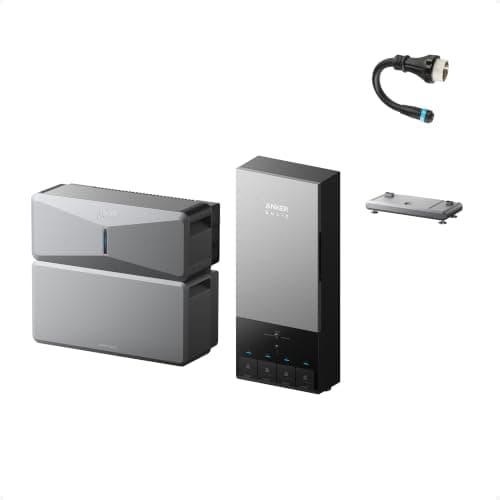
| Anker SOLIX E10 | Yes — Storm Mode | No — “severe weather” | Yes — charges to 100% | Named in marketing, no setting described |
|---|
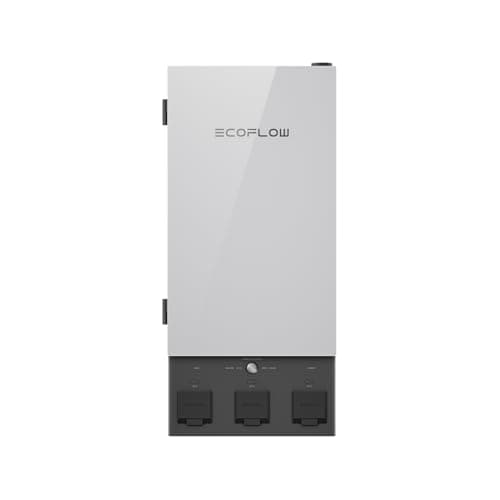
| EcoFlow Smart Home Panel 2 | Yes — outage preparation | Cadence only — “hourly weather assessment” | Not published | Not published |
|---|
| FranklinWH | Not published | — | — | Yes — “Smart TOU” |
|---|
| SPAN | Not published | — | — | Not published — rate entry is for cost display |
|---|
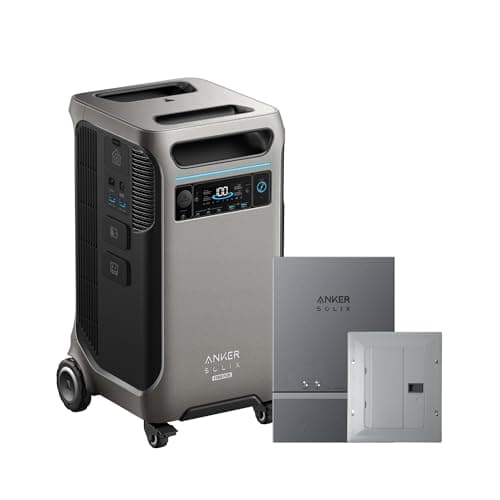
| Anker SOLIX F3800 Plus | Not published | — | — | Not published |
|---|
Every entry reflects what each vendor publishes on its own pages as of this update. BLUETTI is absent because its site returned a rate-limit error on every attempt, so we could not assess it — that is a gap in our reading, not a finding about the product.
The thing nobody expects: Tesla documents it least
Storm Watch is the feature the category copied, and Tesla's own support page describes neither what fires it nor what it does. It says Powerwall “will automatically react to protect you during a severe weather event.” That is a promise, not a specification.
Enphase publishes both halves. Its Storm Guard page says the feature works “by monitoring the National Weather Service for approaching storms,” and that “if one is detected, your batteries will automatically fully charge for the most backup power possible.” Named data source, named action. On the evidence each vendor puts in public, that is the most completely specified weather-triggered pre-charge in the category.
Anker publishes the action — Storm Mode charges to 100% — but not the trigger. EcoFlow publishes the cadence, an hourly weather assessment, but not what it does when the assessment comes back bad. Line them up and each vendor documents a different third of the same feature, which is a strong argument for asking the question explicitly before you sign.
Tariff automation is the mirror image
The weather feature gets the attention; the tariff feature is what pays for the battery between storms. Here the ranking inverts. FranklinWH publishes “Smart TOU” and a concrete way in: its app will “scan your paper electricity bill and get tailored time of use (TOU) settings.” That is the most practical onboarding published by anyone here, and FranklinWH publishes no weather feature at all.
SPAN is the interesting negative. It asks for your utility rate plan, but to “see how much each appliance costs to run” — reporting, not automation. What SPAN does publish is outage behavior: it claims to extend “your battery life by 40% during an outage” and to “automatically avoid unexpected battery drains and overloads before they happen.” That is a load-management claim rather than an energy-trading one, and it belongs in a different column than Tesla's.
What this means if you are shopping
- Decide which behavior you are actually buying. If it is the pre-charge, the field narrows to four vendors and only one names its data source. If it is tariff arbitrage, the field is different and FranklinWH leads on documentation.
- A reserve is not a guarantee. Tesla says plainly that a Powerwall may discharge below a set reserve in a long outage. Assume the same of every rival unless it publishes otherwise, and size for the outage rather than for the setting. How to size a home battery works through the arithmetic.
- You cannot have both ends at once. A battery held at 100% for storms is not saving you money, and one cycling on a tariff is not full when the grid drops. Tesla's 100%-reserve rule is the clearest published statement of that trade, and it applies to every system whether or not the vendor says so.
- Ask the question in writing. Where a vendor publishes an action but not a trigger, an installer quote is the place to get it pinned down. “What forecast source fires the pre-charge, and to what state of charge?” is a fair question and the answer should not be hard to produce.
If the automation genuinely does not matter to you — plenty of households want a box that carries the fridge and the furnace and nothing cleverer — the main home battery roundup ranks on capacity and output instead, and the app comparison covers what each one shows you during an outage.